
I had a video call coming up where I actually wanted to look intentional on camera. My setup is a laptop in the middle and two 27” externals fanned out behind it. On camera, both externals are just dim rectangles floating over my shoulder. Dead pixels. Wasted glass.
The obvious move is a wallpaper. Wallpapers are boring. The interesting move is: what if both monitors were the brand for the length of that call? Slow motion, subtle animation, a wordmark that reads if the other person leans in, a piece that says “this desk is a set.”
So I asked Claude Code to build one. One session, one hour, both monitors live. The interesting part isn’t the animation — it’s the six things Hyprland and Chromium do that you have to work around to make it hold. That’s what this post is about.
What ended up on the screens
The final piece: a fullscreen dark canvas on each external. A serif wordmark in the middle with two hairline rules that animate open on load. A slow concentric-wave motion drifting across both displays. A rotating tagline every eight seconds. A live clock and location string in the corners. Nothing that could bite anyone if a viewer squinted at it on the call.
Same page on both screens, but each one running at a different phase offset so the two monitors don’t look like a mirror — they read as one installation with two panels. That was maybe the single most important design choice. Two mirrored copies feel like a bug. Two out-of-phase copies feel like something you paid for.
The Hyprland side of the problem
Hyprland is a tiling Wayland compositor. It doesn’t do “borderless fullscreen browser window on a specific monitor” as a first-class thing. You get there by combining windowrule matches, workspace dispatches, and manual placement. Every step of that has a footgun.
1. Chromium ignores --class in app mode
The first thing I tried was launching Chromium with --class=set-left and --class=set-right so I could target each window with a windowrule. Neither rule matched. hyprctl clients showed both windows with a generated class derived from the URL path.
Chromium’s Wayland app_id in --app mode is derived from the file path, not the flag. So the fix wasn’t to fight Chromium — it was to give it two different paths. index.html stayed the source of truth, and left.html and right.html became symlinks pointing at it. Two distinct app_ids, one file to edit.
ln -sf index.html left.html
ln -sf index.html right.html
Now the windowrule matcher had something to bite on:
id_l="chrome-__home_brettr_.local_share_monitor-set_left.html-Default"
id_r="chrome-__home_brettr_.local_share_monitor-set_right.html-Default"

for pair in "$id_l:$MON_L" "$id_r:$MON_R"; do
  cls="${pair%:*}" mon="${pair##*:}"
  hyprctl keyword windowrule "monitor $mon, class:^(${cls})$"   >/dev/null
  hyprctl keyword windowrule "fullscreen, class:^(${cls})$"     >/dev/null
  hyprctl keyword windowrule "noinitialfocus, class:^(${cls})$" >/dev/null
  hyprctl keyword windowrule "noanim, class:^(${cls})$"         >/dev/null
done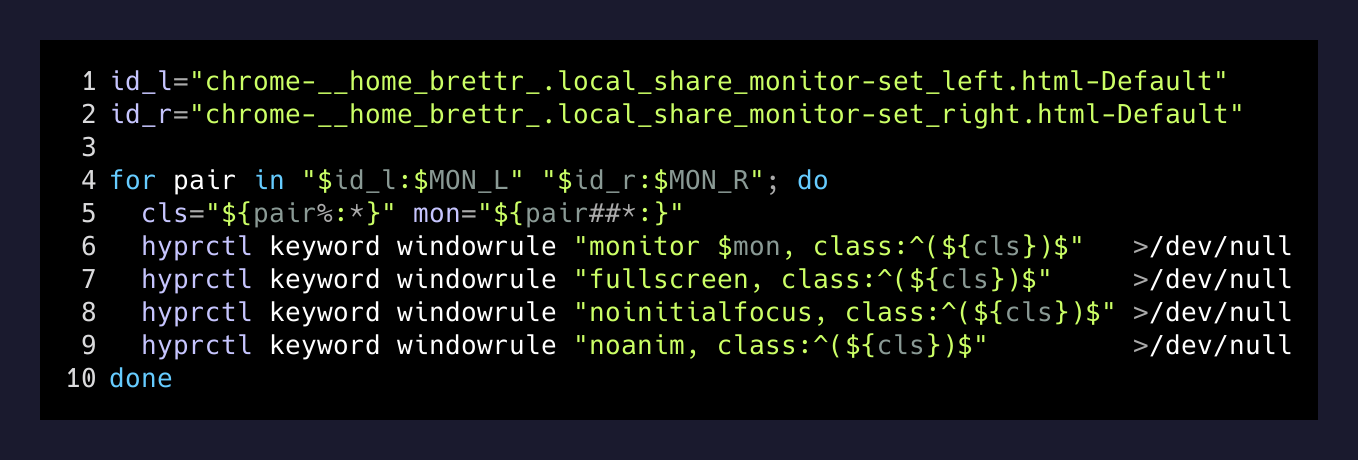
2. Rules landed, placement didn’t
Even with matching classes, the monitor rule wasn’t reliably parking each window on its assigned display. Sometimes both would land on my primary. On Hyprland this is a known-annoying combination of “windowrule fires during map, but the workspace binding runs late.” The fix is to stop relying on window rules for placement and do it explicitly after the windows exist. That’s what place.py does — it dispatches focusmonitor, then workspace, then movetoworkspacesilent per address, with small sleeps between so the compositor has time to settle. Ugly, but deterministic.
3. fullscreen 0 is a toggle, not a state
The first version called hyprctl dispatch fullscreen 0 on both windows every time it placed them. That worked once. When I re-ran the placer to fix a drifted window, it toggled out of fullscreen. fullscreen 0 flips state. If you want an idempotent “make sure this is fullscreen” you have to read the current state first and only fire when it isn’t already there.
cur = next((c for c in clients() if c["address"] == addr), None)
if cur and cur.get("fullscreen") != 2:
    h("dispatch", "fullscreen", "0")
4. Dedicated workspaces, not the current one
I tried to fullscreen both screensaver windows on whatever workspaces were already active on those monitors. Bad idea — my terminals were there. Even with fullscreen set, focus and stacking got weird any time I Super+Tab‘d back to a terminal. The fix was to hand each monitor a fresh, empty workspace of its own (91 and 92) for the duration of the session, and restore the originals on stop. Terminals stay alive on their real workspaces — Super+2 brings one back without killing the screensaver.
The desktop-idle problem
The first time I tested this in a real call preview, the screens blanked forty seconds in. Right, hypridle. On Omarchy it’s on by default; it turns off displays on idle and locks after a threshold. Neither is what you want while you’re supposed to look like a functioning adult on a video call.
if pgrep -x hypridle >/dev/null; then
  ~/.local/share/omarchy/bin/omarchy-toggle-idle >/dev/null 2>&1
  touch "$STATE/idle-was-on"
fi
The touch file matters. On stop, the script checks for it and toggles idle back on if it was on before. If you leave hypridle disabled by accident, the next time you close the lid something confusing happens forty minutes later.
The pkill that shot itself
The auto-off timer was originally inline in run.sh — a background loop that slept $secs, then called stop. On the second test, the shell hosting that loop got killed the moment stop ran pkill -f monitor-set. Because the running shell’s /proc/*/cmdline contained “monitor-set” (its cwd, its argv, everything), the pattern matched itself.
Two fixes, both fine:
pkillby explicit PID from a stored$STATE/pid, not by pattern.- Move the timer to a separate script (
timer.sh) invoked withsetsidso it lives in its own process group and its command line doesn’t contain the search string.
I did both. The timer file is three lines and I’ll never touch it again.
setsid "$DIR/timer.sh" "$secs" >/dev/null 2>&1 </dev/null &
echo $! > "$STATE/pid"
Timeline of the session
- 0:00Reconhyprctl monitors -j to grab the two output names, HDMI-A-1 and DVI-D-1. Confirm Chromium is installed.
- 0:05First HTML draftSingle-page canvas + serif wordmark + phase-offset animation. Runs in Firefox as a plain file:// URL.
- 0:15windowrule doesn't matchChromium generates its own app_id from --app URL. Discover the symlink workaround.
- 0:25Both windows visiblePlacement is inconsistent. Move from windowrule-based placement to place.py doing it explicitly.
- 0:40Fullscreen keeps flipping`fullscreen 0` is a toggle. Check state before dispatching.
- 0:50Screens blank in a previewhypridle. Disable-with-receipt pattern.
- 0:58pkill kills its own shellSplit the timer into a setsid'd subscript. Store the PID.
- 1:05Both monitors holdingAuto-off timer set. run.sh stop restores the original workspaces cleanly.
Why this beats a wallpaper
A wallpaper is a static image on your desktop under a pile of windows. To a person on the other end of the call, that’s not what they see — they see your Slack window, your browser tabs, your Waybar clock, whatever notification just popped.
A dedicated fullscreen page on a dedicated workspace is different. There is no window over it, because there are no windows at all on those workspaces. The clock in the corner is the piece’s clock, not mine. There’s nothing to leak, because nothing else is there.
That’s the whole trick. It’s not that I built an animation — the animation is 200 lines of HTML and a canvas. It’s that I made a workspace whose entire contents are one branded page, and I made it survive hypridle, pkill, and Chromium’s opinions about app IDs long enough to hold for an hour-long call.
Take it further
The pattern generalizes:
- A conference booth loop on a spare monitor at an event.
- A project dashboard — Grafana, a build queue, an on-call board — pinned to a second display and never fought with by your main workflow.
- A now-playing card for a podcast or stream — album art plus a waveform plus a Discord-style “on air” indicator.
- A countdown-to-launch on a wall-mounted display for a launch week.
The reusable core is: give each display a dedicated workspace, put one Chromium --app window on each, use path-derived symlinks so windowrule can match, place windows explicitly with a small Python script, protect against hypridle, and split any kill-timer into its own process group so pkill can’t shoot itself.
Everything else is what you decide to show. My monitors used to be dark. Now they’re the set. Anyone with two external displays and Hyprland has the same set sitting behind them, unused.