
I was out of the house. My desktop was at home running a long job. I needed to peek at it, so I opened RustDesk on my MacBook, hit connect, and got a modal that said “select which screen to share.”
The modal had two buttons. I could see them. I could not click them. The whole point of the remote-desktop session was to grab the screen, and the modal blocking the screen was waiting for someone in front of the monitor to click a button.
There was no one in front of the monitor.
The setup
Quick context. My desktop is an Arch box running Hyprland — a Wayland compositor. RustDesk has been the cleanest cross-platform remote-desktop tool I’ve found, and it mostly works on Wayland, but every once in a while the first connection hits a permission prompt that the host has to acknowledge before pixels start streaming.
If you’re at the desk, no problem. If you’re not, the session never starts.
I have Tailscale running on everything I own — desktop, MacBook, phone. Every device gets a stable IP on a private mesh, and SSH just works between them with no port forwarding. So I had a path into the desktop. I just couldn’t drive its mouse from there with the normal tools, because Wayland — by design — does not let arbitrary processes synthesize input.
Phone first, because it was already in my hand
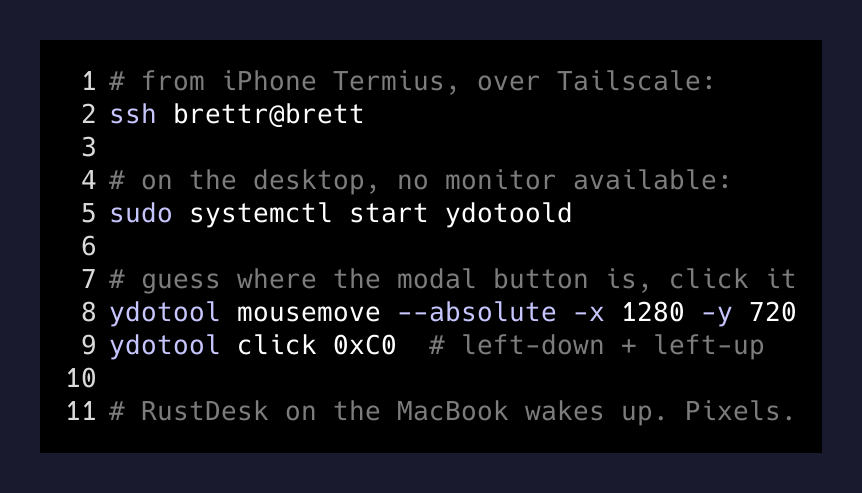
I opened Termius on my iPhone, picked the desktop out of my Tailscale-aware host list, and SSH’d in:
ssh brettr@brettThat gets me a shell. Now I needed to click a button in a graphical session I wasn’t physically attending.
Enter ydotool. It’s a Wayland-friendly input emulator that talks to a privileged daemon (ydotoold) over a Unix socket. The daemon writes to /dev/uinput — the kernel’s virtual input device — and the Wayland compositor sees the events as if they came from a real keyboard or mouse. No screen-recording permissions, no compositor cooperation, just kernel-level input injection.
sudo systemctl start ydotoold
ydotool mousemove --absolute -x 1280 -y 720
ydotool click 0xC0
That’s it. 0xC0 is left-click-down + left-click-up.
The hard part was guessing where on the screen the modal’s “OK” button was. I knew my display was 2560x1440. I knew RustDesk centers its prompt. I aimed roughly center-bottom, clicked, prayed.
Nothing.
I aimed slightly higher and clicked again. The RustDesk session woke up on my MacBook a few seconds later. I had a desktop.
Why this works at all
The interesting bit is not “I clicked a button.” It’s that there’s a path underneath the compositor that doesn’t ask for permission. Wayland’s whole pitch is that no app can spy on or drive other apps. That’s a security win and a remote-control loss.
ydotool sidesteps the entire compositor by writing to /dev/uinput. The kernel exposes virtual input devices to whoever has permission to write that file (root, or a user in a uinput group, depending on udev rules). The compositor doesn’t know the input is synthetic — it just sees keystrokes and clicks.
That’s the same reason you can plug a Raspberry Pi into a USB port on a locked laptop and have it pretend to be a keyboard. The OS trusts input devices.
What the kit looks like end to end
Here’s the actual chain that got me from iPhone to clicking a desktop modal:
iPhone (Termius)
  → Tailscale (WireGuard mesh, no port forwarding)
  → SSH to desktop's tailnet IP
  → ydotool over the local ydotoold socket
  → /dev/uinput
  → Hyprland sees a "real" mouse click
  → RustDesk modal dismissed
  → MacBook RustDesk session connects
Five layers. Each one is something I’d already set up for some other reason — Tailscale because I hate VPNs, SSH because of course, ydotool because I’d been automating Hyprland window placement, RustDesk because Sunshine/Moonlight is overkill for office work.
The one weird thing about this stack: the phone is just a keyboard at this point. It doesn’t render the desktop. It’s the bridge that gets the desktop ready to render itself somewhere else.
What I’m doing differently now
Two changes since this happened:
-
ydotooldruns at boot. No more “start the daemon, then click.” It’s a one-line user service:[Unit] Description=ydotool daemon [Service] ExecStart=/usr/bin/ydotoold [Install] WantedBy=default.targetsystemctl --user enable --now ydotoold.serviceand it’s there next time I need to dismiss something headless. -
The screen-select prompt got auto-dismissed. RustDesk has a config flag to remember the last screen choice. I’d skipped it because I didn’t trust it. Now I trust it, because the alternative is fishing my phone out of my pocket in a parking lot to blind-click a modal.
The takeaway
Remote desktop is a layer cake. When the top layer (RustDesk) breaks, you don’t have to give up — you can usually drop one layer down (SSH) and one more (uinput) and fix it from there.
If you build on Linux and you’re not running Tailscale yet, I don’t know what to tell you. The single most useful piece of plumbing I’ve added in the last two years. It turns “I’m out of the house” into “I’m at my desk, just over a longer wire.”
The first time you SSH from your phone into your desktop and make pixels move on a monitor that’s seven miles away, you stop seeing your computer as a place and start seeing it as a process.