
I installed a self-custody Bitcoin wallet on my Linux machine last night. The install itself was the boring part. The part I keep thinking about is the setting almost every tutorial breezes past — the one that decides whether your wallet is actually private or just feels private because you’re the only one holding the keys.
Here it is in one sentence: the wallet on your laptop does not query the Bitcoin network. It asks a server to query the network on its behalf. Whoever runs that server sees every address you ask about, from your IP, all at once.
If that server is somebody’s default public one, you have not opted out of surveillance. You’ve swapped Coinbase’s KYC file for a stranger’s server logs. Different flavor. Same problem.
What “self-custody” actually gets you
The pitch for self-custody wallets is honest as far as it goes: hold your own keys, don’t trust an exchange, be your own bank. Fine. All true. If the exchange gets hacked or goes down or freezes your account, none of that touches you, because your coins never lived with them.
But privacy isn’t the same problem as custody, and the two get quietly bundled in most beginner content. A self-custody wallet still has to see the blockchain somehow. It has to know how much bitcoin is at your addresses, when transactions confirm, which UTXOs are yours to spend. It doesn’t do that by downloading the entire chain (that’s a full node, and it’s a different beast). It does it by asking a lightweight index server — the Electrum protocol — for the balances and history of specific addresses.
And here’s the punchline. When your wallet asks that server “what’s the balance of address X?”, it’s also implicitly saying “I care about address X.” Ask about ten addresses in one session and the server operator can reasonably assume all ten belong to the same wallet. Now they have a cluster. Add your IP address, which they see automatically, and they have a cluster tied to a person.
The keys are yours. The queries are somebody’s.
— What I actually learned last night
The default is the problem
Most desktop wallets, including the good ones, ship with a list of public Electrum servers baked in. On first launch they pick one and connect. The wallet doesn’t tell you this. It doesn’t say “hi, I’m about to leak your entire address book to a random operator in another country.” It just… works. Balances appear. You feel productive.
I have no problem with public servers existing. They’re generous infrastructure and the network needs them. What I have a problem with is defaulting new users into them silently, then framing the whole experience as “private, self-custody Bitcoin.”
The privacy fix is one panel deep in the settings. Point your wallet at a server you actually trust — one you run, or one somebody you know runs — and the leak stops.
What I actually did
Three moves, in order:
- Verify the binary. Bitcoin software is one of the few places on Earth where “just download and run” is genuinely dangerous. Every serious wallet publishes GPG-signed release manifests. Import the maintainer’s key, verify the manifest signature, verify the file hash matches the manifest. It’s five minutes. It’s non-negotiable.
- Install locally, no browser wallet, no extension. Desktop binary, running on my own machine, on a distro (Omarchy/Arch) where I know what’s on the disk.
- Change the server. Turn off “auto-connect to a public server.” Point the wallet at a private Electrum endpoint over TLS. Save. Reconnect. Confirm the little status dot goes green.
Step three is the one nobody talks about, and it’s the one that matters.
The signature-check that felt like a rite of passage
The verification dance for a Bitcoin release the first time you do it feels ceremonial in a way that mildly annoyed me and then, once it worked, made me feel a little smug. It boils down to:
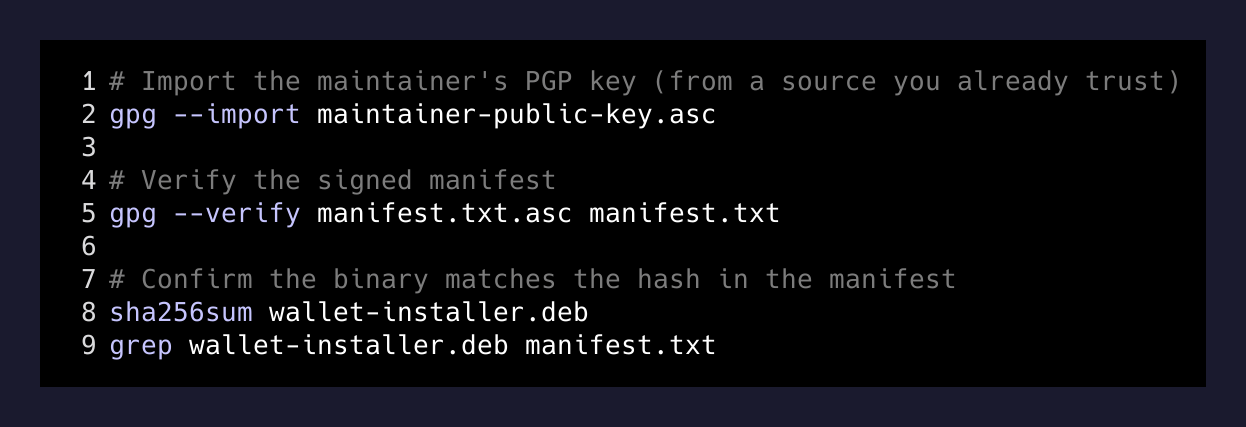
# Import the maintainer's PGP key (from a source you already trust)
gpg --import maintainer-public-key.asc

# Verify the signed manifest
gpg --verify manifest.txt.asc manifest.txt

# Confirm the downloaded binary matches the hash in the manifest
sha256sum wallet-installer.deb
grep wallet-installer.deb manifest.txt
Four commands. If any of them yells at you, you don’t run the installer. That’s it.
The reason I’m writing about this at all is that in about ninety percent of “install a Bitcoin wallet” walkthroughs I’ve read, this step is either missing or waved at with a single sentence. It should be the loudest part of the tutorial, not a footnote.
Why I’m bothering
I’ve held bitcoin on exchanges for years like most people. Custodial. Fine. Convenient. The reason I finally moved a wallet onto my own machine wasn’t because I think an exchange is going to fail tomorrow. It’s because I wanted to actually understand the stack I’ve been theorizing about for a decade.
You cannot understand Bitcoin from the outside of a self-custody wallet. You can read about UTXOs, read about coin selection, read about privacy heuristics, read about change addresses, read about Electrum servers — and it will all remain abstract until the first time you look at your own wallet’s coin control screen and realize that “one wallet” is actually thirty little envelopes and the wallet is stitching them together for you.
Turns out the privacy story is the same. You can read that “wallets leak metadata to servers” a hundred times. But it doesn’t feel real until you flip the setting, watch the connection drop, watch it reconnect to your server, and notice that no random third party is watching this session anymore.
The takeaway
Wallet apps are UI on top of a stack, and the stack has a network in it, and the network has server operators in it, and server operators have logs. If the goal is privacy — not just custody, not just “not on an exchange” — then the wallet is the second-most-important thing you install. The first is the answer to the question whose server is my wallet actually talking to?
If you don’t know, it isn’t yours. Even if the keys are.