
Two calls landed on my calendar overnight. Both were from the same prospect world, both booked themselves while I was asleep, and both showed up on the right calendar with the right invite address in the “from” line — even though I never touched a keyboard.
The interesting part isn’t that Cal.com books meetings. Anyone can point a link at a Google account. The interesting part is that I run four work identities out of a single Cal.com free plan, each one landing on its own calendar with its own email as the organizer, and I never paid for a team seat to do it.
Here’s the architecture.
The problem with running four hats
At any given time I have four contexts a stranger might want to book me for:
- Personal — friends, coffee, side stuff.
- A SaaS I’m building.
- Two ongoing client contexts, each with its own domain email.
The naive way to solve this is to buy four Cal.com seats, connect four Google Workspace accounts, and run four completely separate accounts. That’s about $180/year for something that boils down to “route a booking to the right calendar.” It’s also a mess: four sets of availability rules, four sets of buffers, four dashboards, and no way to conflict-check across all of them so I don’t double-book myself.
The wrong version of “clever” is to run one calendar and just relabel events. But then the invite comes from my personal Gmail and the client-side experience looks unprofessional. The prospect gets a Google Meet with “brett.ridenour@gmail.com invited you” — for a call I’m supposedly taking as somebody’s Head of Marketing.
There’s a better answer, and it lives entirely on the free plan.
The trick, in one paragraph
Connect one Google account to Cal.com — the personal one. Then, inside Google, share the other three work calendars into that personal account with “Make changes to events” permission. Cal.com now sees four calendars on one OAuth connection. It can conflict-check against all four (so it never double-books me across identities), and it can create events on any of them.
The magic toggle is one line down in each event type’s advanced settings.
Without that toggle, every invite comes from your personal Gmail no matter which calendar the event lands on. With it, the invite comes from the address that actually owns the calendar. That’s the whole thing. It’s a one-checkbox difference between “looks like a hobby” and “looks like a company.”
What I ended up with
Five links. One Cal.com free account.
| Link | Lands on | Organizer of invite |
|---|---|---|
/personal | Personal Gmail | Personal Gmail |
/startup | Startup Workspace calendar | Startup email |
/client-a | Client A Workspace calendar | Client A email |
/client-b | Client B Workspace calendar | Client B email |
/coffee | Personal Gmail | Personal Gmail |
Shared rules on the four work links: 30-minute meetings, Google Meet, 30-minute buffer after every call, max two bookings a day per link, six-hour minimum notice, and conflict-checked against every calendar so nothing overlaps. Coffee has its own availability schedule — six to eight-thirty in the morning, in-person only, forty-eight-hour notice. Cal.com’s free plan lets you attach a different availability schedule to each event type, which is what makes the coffee link possible without a paid feature.
Getting to the right link fast
Having five links is only useful if you can grab the right one in under a second. Two things helped there.
First, an espanso snippet library on Omarchy and matching Text Replacements on the Mac and iPhone (iCloud-synced). Typing ;calcoffee anywhere — a Slack DM, a text, an email — expands into the full URL. ;calpersonal, ;calstartup, ;callinks all work the same way. It’s the closest thing I have to a real superpower on a keyboard.
Second, a waybar button on my desktop that copies the right link straight to the clipboard from a picker menu. Nothing fancy — a script that reads a list of label|url pairs, pipes them into a launcher, and wl-copys the winner:
#!/usr/bin/env bash
# cal-links: pick a Cal.com link and copy it to the clipboard
LINKS=$(cat <<'EOF'
personal|https://cal.com/brettr/personal
startup|https://cal.com/brettr/startup
client-a|https://cal.com/brettr/client-a
client-b|https://cal.com/brettr/client-b
coffee|https://cal.com/brettr/coffee
all|https://cal.com/brettr
EOF
)
choice=$(echo "$LINKS" | awk -F'|' '{print $1}' | walker --dmenu -p "cal link")
[ -z "$choice" ] && exit 0
echo "$LINKS" | awk -F'|' -v k="$choice" '$1==k {print $2}' | tr -d '\n' | wl-copy
notify-send "Copied $choice link"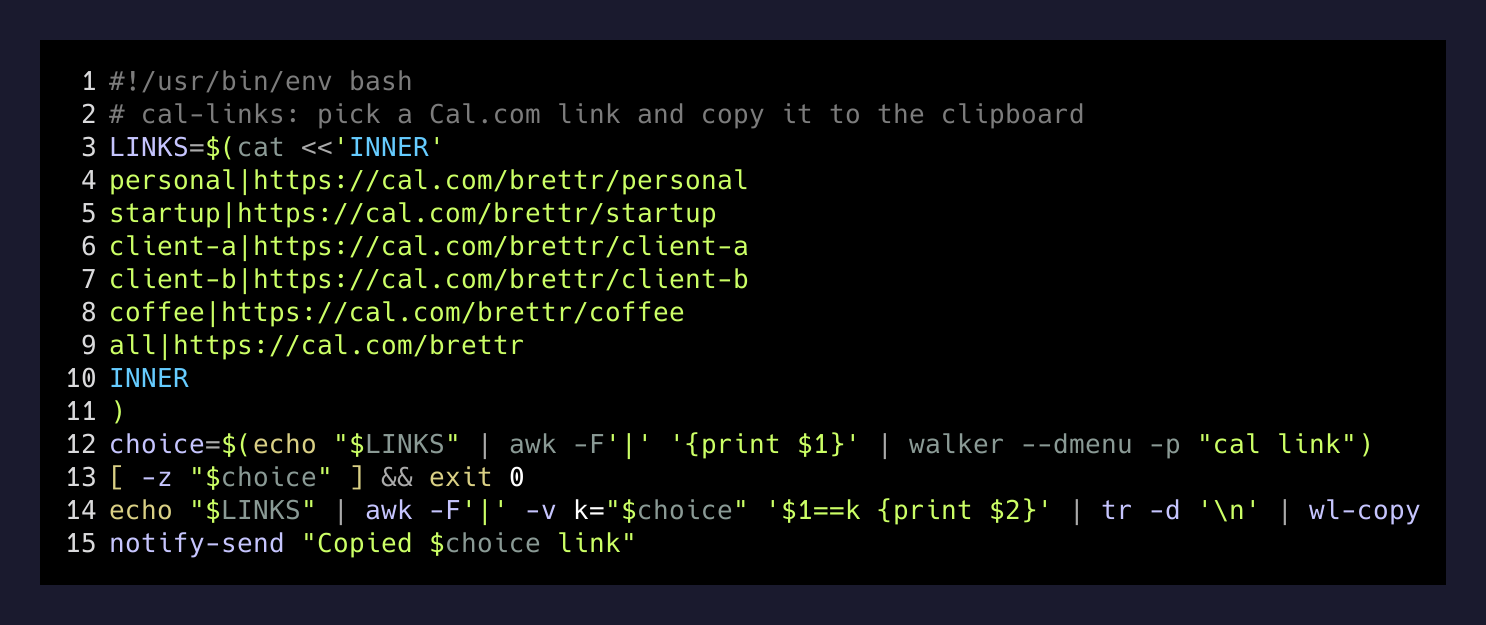
That’s twenty lines of shell and it saves me from the “which link do I paste” tax every time I need to reply to a scheduling request.
The gotchas that will bite you
The setup is worth the two hours it takes precisely because the gotchas are non-obvious and each one has cost me real time.
Cal.com fails closed. If the underlying Google OAuth stops syncing for whatever reason, the booking page doesn’t error — it just shows no availability at all. Every day, all closed. Cal.com would rather show nothing than risk double-booking you. Twice on setup day I panicked and thought I’d broken the config, and both times a page reload fixed it. If it doesn’t reload-fix, disconnect and reconnect Google in Settings → Calendars and re-verify the toggle on every event type.
The organizer toggle has upstream bugs. Cal.com’s own confirmation email (the one Cal.com sends, not the calendar invite Google sends) sometimes still mentions the personal Gmail. Trackers 20455 and 13626 on their GitHub cover it. The Google Calendar invite itself is correct, which is the one that matters — but if you need bulletproof organizer identity in every email surface, the only fix is to connect each Google account to Cal.com directly (which then blows up your free-plan advantage).
The min-notice unit dropdown silently converts. Switching a minimum-notice field from “6 days” to hours doesn’t reset the number — it converts it to “144 hours,” which looks weird enough that people re-type it, at which point one careless day-vs-hour click can wipe an entire week of availability. Ask me how I know.
Delete is a lie. The default event types Cal.com ships with can be hidden but not actually deleted on the free plan. Hide them or their URLs will still resolve.
Why this is the shape of a lot of things
The good version of a free plan is one where the workaround is a shared calendar and a toggle, not a hack.
— Brett Ridenour
Most “you need the paid tier” problems in SaaS are actually “you need one specific feature and the vendor has bundled it with six others.” Cal.com’s paid tier makes multi-account routing prettier. But the actual capability I needed — different organizer identities per link, conflict-checked across all my calendars — turned out to be one toggle and a Google-side share.
The bill for that saved me — call it two hundred a year — isn’t the point. The point is what happens when you stop paying for defaults and start reading the settings screen. The people who built Cal.com left the door open. You just have to notice it’s there.