
A buddy came over on Friday. We were standing in front of my desk debating a Freebo API question when the monitors kicked into the default Omarchy screensaver — the “OMARCHY” logo painting itself in and out of the terminal with a random animation. He watched for about three seconds and asked, “wait, can it say anything?”
Ten minutes later both monitors were spelling his name in ten-foot ASCII, cycling through a burn effect and then a matrix-rain effect and then a laser-etch, and he was standing there with his phone out.
The whole trick is dumber than it looks. Here’s how it works.
The screensaver is a text file
That’s the first reveal. The Omarchy screensaver isn’t a graphics engine, isn’t a wallpaper daemon, isn’t anything sophisticated. It’s a single text file at ~/.config/omarchy/branding/screensaver.txt that gets streamed through a terminal animator. Whatever you put in that file is what plays on every monitor when the system idles or when you launch it manually.
~/.config/omarchy/branding/
├── screensaver.txt         # what plays. anything you want.
├── screensaver.txt.bak.*   # auto-backup of your last one
└── about.txt               # unrelated, ignore
Overwrite the file, and you have a new screensaver. That’s the entire config surface.
figlet turns any word into ASCII blocks
The second reveal is that Linux has been solving the “make big letters out of small ones” problem since 1991. figlet ships in the Arch repos, takes a string on stdin, and dumps chunky ASCII on stdout. Pipe it into the branding file:
figlet -f banner "BUDDY" > ~/.config/omarchy/branding/screensaver.txt-f banner picks a chunky hash-mark font — the one that looks like a low-res marquee sign. There are dozens of fonts installed (ls /usr/share/figlet/fonts.d), but banner and block are the two that fill a big screen without breaking rhythm. Anything narrower gets swallowed by the animation.
For the “wow” version I framed the name with a box and a subtitle line — took about thirty seconds to hand-edit:
╭─────────────────────────────────────────────╮

######  #     # ######  ######  #     #
#     # #     # #     # #     #  #   #
#     # #     # #     # #     #   # #
######  #     # #     # #     #    #
#     # #     # #     # #     #    #
#     # #     # #     # #     #    #
######   #####  ######  ######     #

         ▄▀▄▀▄  T H E   L E G E N D  ▄▀▄▀▄

╰─────────────────────────────────────────────╯
The subtitle is what made him laugh. Put someone’s name in a box and label them THE LEGEND and you’re 60% of the way to a birthday card.
One command paints it on every monitor
The third reveal is the launcher. Omarchy ships omarchy-launch-screensaver, which is a bash script that does something quietly clever: it walks every connected monitor, spawns a fullscreen kitty/alacritty/foot/ghostty terminal on each one with the window class org.omarchy.screensaver, and runs the inner omarchy-screensaver process inside. Two monitors gets you two fullscreen terminals, side by side, both invisible to the taskbar.
The inner process is a one-line loop wrapped around ttfx:
ttfx -i ~/.config/omarchy/branding/screensaver.txt \
  --frame-rate 120 --canvas-width 0 --canvas-height 0 \
  --reuse-canvas --anchor-canvas c --anchor-text c \
  --random-effect --no-eol --no-restore-cursor
ttfx (Terminal Text FX, a Rust port of the Python terminaltexteffects project) reads the file, picks one of over three dozen animated effects at random — matrix rain, black hole, decrypt, laser-etch, fireworks, pour, orbitting-volley, etc. — and plays it at 120fps. When the animation finishes, the loop starts it again with a new random effect. Any keypress or focus loss exits and unhides the cursor.
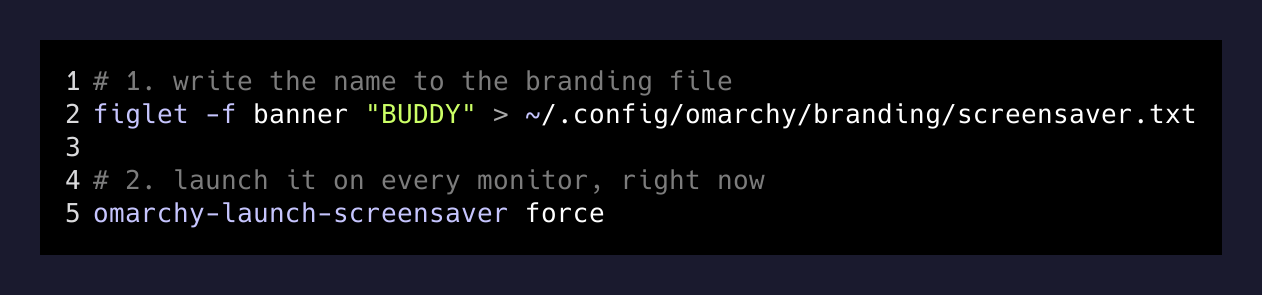
Two commands. That’s it.
The bug that shows what “polish” means
Reading through omarchy-screensaver I hit a comment that made me stop for a second:
# Terminals allocate the pty at the default 80x24 and only resize it
# once the compositor has told the window how big it is. ttfx measures
# the terminal once, at startup, so starting it before the resize lands
# sizes an 80x24 canvas and paints it into the corner of a fullscreen
# window.
wait_for_terminal_resize() {
  local deadline=$((SECONDS + 2))
  while ((SECONDS < deadline)) && [[ $(stty size 2>/dev/null) == "24 80" ]]; do
    sleep 0.02
  done
}
Someone shipped it, someone else launched the screensaver into a fullscreen 4K monitor, and the animation played inside an 80×24 postage stamp in the corner. So the fix polls stty size twenty times a second for up to two seconds waiting for Wayland to hand the terminal its real dimensions. That’s the difference between a script somebody wrote and a script somebody shipped. It’s the little wait_for_terminal_resize that means every ASCII portrait actually fills the screen.
Resetting
When my friend left, one command put it back:
omarchy branding screensaver resetThat copies $OMARCHY_PATH/logo.txt back over the branding file and re-launches. No git needed. No config editing. Every knob has a reset.
The point of the whole thing
I’ve been on Omarchy for a while and I never noticed the screensaver was a text file. I never noticed there was a branding folder. I never noticed that omarchy branding screensaver text opens the file in my editor with a re-launch on save built in — a two-command dev loop for a screensaver, in an OS I’d been using every day.
That’s the actual lesson. The distros that get out of your way don’t hide their internals — they leave them sitting in /usr/share/omarchy/ and ~/.config/, one cat and one grep away, so you can read a two-hundred-line bash script and understand exactly what “make a screensaver of my friend’s name on both monitors” means. It means overwrite a text file, then run a script that walks hyprctl monitors and spawns fullscreen terminals.
There is no “screensaver API.” There is a text file, a Rust binary, and a for loop over monitors. And when a friend comes over on a Friday afternoon, that’s enough to make him pull out his phone.