 AI Agents & Automation
Most of my Todoist tasks are written in a hurry. I’m walking out of a meeting, or it’s 11pm and I’m trying to clear my head, and I type something like “Freebo ChatGPT Ads account APPROVED — set up first campaign” and hit add. Three days later I open the task and have to spend ten minutes rebuilding the context I had in my head when I wrote it. What’s the angle? Who’s the audience? What’s step one?
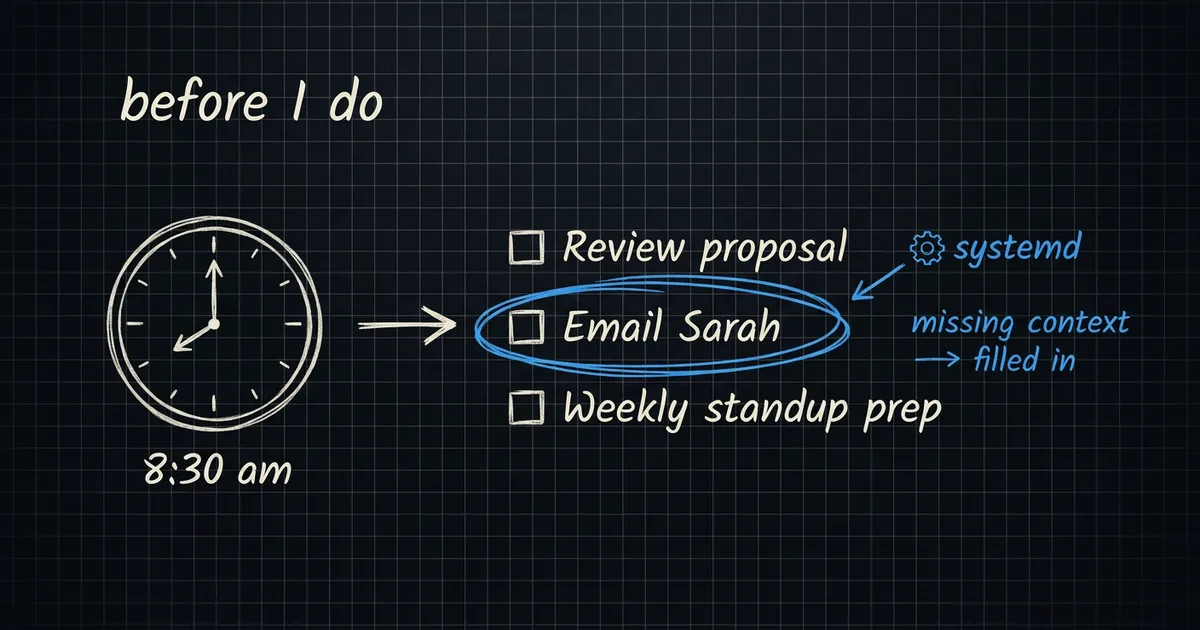
So I built a small agent that does that work for me overnight. It runs at 8:30 AM, reads every active task across all of my projects, and quietly enriches the ones that are missing context. It can’t add tasks. It can’t delete them. It can’t move due dates or change the title. The only thing it can touch is the description — and it only touches the description if it has something genuinely useful to add.
I call it the Todoist watchdog and it has become one of the most quietly valuable parts of my personal AI setup.
What it actually does
Here is what it caught yesterday on a real task I had written in passing:
Task title: “Freebo ChatGPT Ads account APPROVED — set up first campaign”
Description before: (empty)
Description after:
- Target B2B tour operators, not their end customers — this is a tools-for-tools play.
- First campaign checklist: (1) seed audience from existing Freebo waitlist, (2) build 3 ad variations, (3) set $20/day cap for week 1, (4) lock conversion event to “Demo booked”, (5) tag UTMs with
src=chatgpt_ads, (6) review at 7d before scaling.- Vault: [[Projects/ChatGPT Ads/ChatGPT Ads]]
I didn’t ask for that. I didn’t know I needed that until I opened the task and it was already there. That’s the part that’s surprising about this thing — it’s not a chatbot I prompt, it’s a cron that reads my mind a little.
The whole thing is a prompt and a systemd unit
There’s no app. There’s no UI. The watchdog is two files.
The first is the prompt at ~/.claude/prompts/todoist-watchdog.md. It’s about 70 lines, mostly rules about what not to do. Here’s the load-bearing part:
You are Brett's Todoist watchdog. Run silently at 8:30 AM daily.
Pull all active tasks across every project and make them better
— fill gaps, do research, add vault links. Light touch only:
never move or delete tasks, never add tasks, only enrich what's
already there if it's missing something genuinely useful.

For each task, check:

A. Vague title with no description
   - If research would help: do the research (WebSearch, WebFetch,
     read relevant vault files), write a note to Projects/Research/,
     update the task with 2-4 sentence summary + vault link.

B. Missing vault link
   - If a task mentions "Freebo", "Skip", "James", etc., find the
     matching vault file and append `Vault: [[Projects/X]]`.

D. Skip these — don't touch:
   - Tasks that already have a good description
   - Tasks that are obviously simple ("Buy milk")
   - Tasks due today or overdue (don't slow them down)
   - Tasks with `pinned` label
That “skip these” block is more important than it looks. The first version of this didn’t have it and the agent would helpfully add a four-paragraph briefing to “Pick up inhaler from pharmacy.” Once. Then I added rule D.
The second file is the systemd timer that actually runs it. This is the entire service definition:
# ~/.config/systemd/user/todoist-watchdog.service
[Unit]
Description=Todoist watchdog — enrich tasks, route inbox, do research
After=network-online.target

[Service]
Type=oneshot
WorkingDirectory=/home/brettr
ExecStart=/bin/bash -lc 'claude -p "$(cat /home/brettr/.claude/prompts/todoist-watchdog.md)" \
  --model claude-sonnet-4-6 \
  --allowedTools "Read,Write,Edit,Glob,Grep,Bash,WebSearch,WebFetch,\
mcp__todoist__find-tasks,mcp__todoist__update-tasks,\
mcp__todoist__search,mcp__todoist__get-overview" \
  2>&1 | tee /tmp/todoist-watchdog-$(date +%%Y-%%m-%%d).log'
TimeoutStartSec=300
# ~/.config/systemd/user/todoist-watchdog.timer
[Timer]
OnCalendar=*-*-* 08:30:00
Persistent=true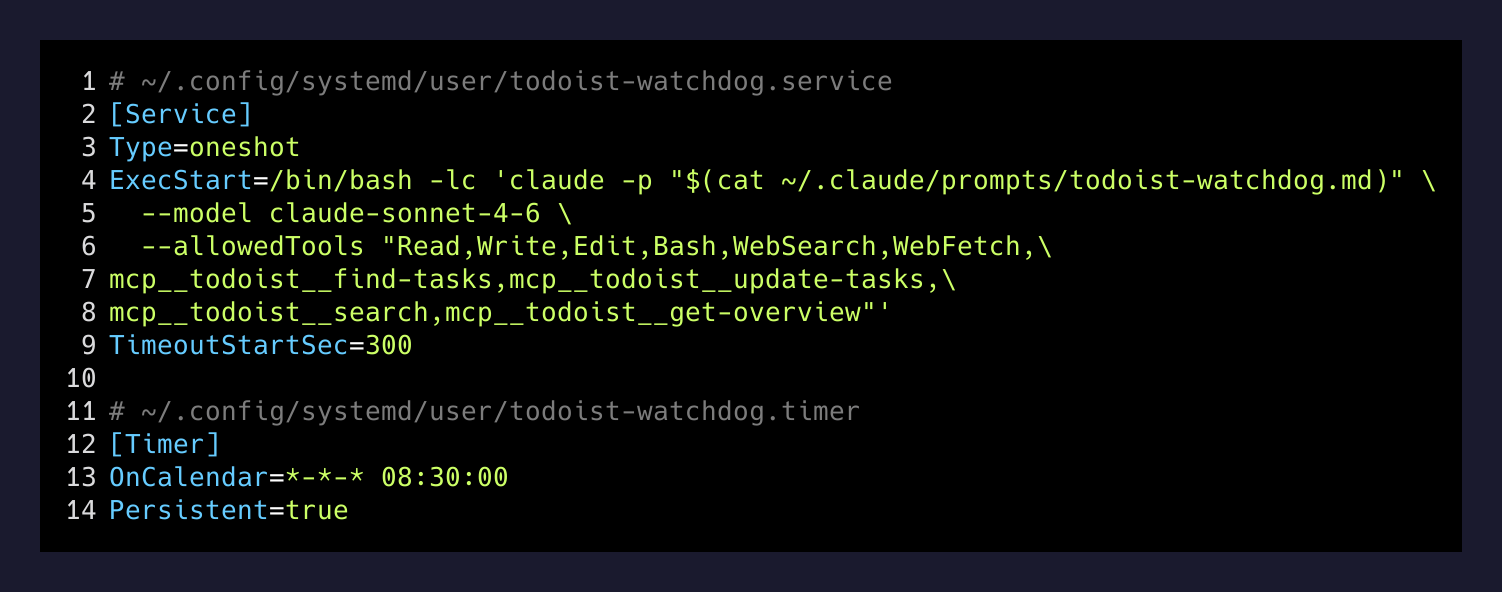
That’s the whole infrastructure. claude -p is the Claude Code CLI in headless mode — it reads the prompt from stdin, the allowed tools list constrains the blast radius, and it runs unattended. Persistent=true on the timer means if my laptop is asleep at 8:30, it catches up when the machine wakes.
The allowlist is the actual security model
The thing I want to highlight here, because I think it’s underrated in the “AI agent” conversation, is the --allowedTools flag.
The watchdog is a Sonnet 4.6 session with access to my entire Todoist account. In theory it could rewrite every task title in my life. It can’t, because of one line:
--allowedTools "Read,Write,Edit,Glob,Grep,Bash,WebSearch,WebFetch,
                mcp__todoist__find-tasks,mcp__todoist__update-tasks,
                mcp__todoist__search,mcp__todoist__get-overview"
Notice what’s not there. No mcp__todoist__add-tasks. No mcp__todoist__complete-tasks. No mcp__todoist__delete-object. The agent can read tasks and it can update existing tasks, and that’s all. It physically cannot create a new task or close one, because the tool isn’t loaded into its session.
This means I can let it run unattended without nervously checking its output the next morning. The worst it can do is write a bad description on a task. I just read the description and roll it back. There’s no version of this where I wake up to a deleted backlog.
What it writes to the vault
When the watchdog hits a task that’s vague enough to need real research — something like “Check if Sullivan portal supports recurring payments” — it doesn’t just stuff the answer into the Todoist description. Todoist descriptions are fine for two sentences and bad for anything else.
Instead it writes a short research note to Projects/Research/YYYY-MM-DD-{slug}.md in my Obsidian vault, then puts a two-sentence summary plus a vault link in the Todoist description. So the task becomes a pointer. When I open it, I see the gist, and if I want the full context I click the [[wikilink]] and land on a properly formatted note in my second brain.
This is the move that made the whole thing click for me. The task list and the knowledge base were two separate worlds before. Now the watchdog stitches them together every morning. The cost of capturing a sloppy two-word task at 11pm dropped to roughly zero, because by 8:31 AM it’ll have a vault note and a checklist attached if it needs one.
The agents I trust the most are the ones I gave the fewest tools to.
— The lesson, on this one
What I’d do differently if I built it again
A few things I’d change if I were starting over today, in case anyone is building something similar:
Log to the vault, not /tmp. Right now the watchdog log goes to /tmp/todoist-watchdog-YYYY-MM-DD.log and gets nuked on reboot. I should be appending a one-line summary to Notifications.md (which it does) and also keeping the full log somewhere durable so I can grep history when I’m wondering “did the watchdog touch this task or did I?”.
A “dry run” mode. When I was iterating on the prompt I wanted to see what edits would be made without actually making them. I ended up just commenting out the update-tasks permission temporarily, which works but is ugly. A real --dry-run flag would be nicer.
A weekly summary. The daily run is good. A Sunday-evening rollup of “here’s everything the watchdog enriched this week” would be even better — it’d let me notice patterns in my sloppy task writing, not just patch them one at a time.
None of that is blocking. The watchdog as it is, today, is already pulling its weight. The prompt is 70 lines, the systemd unit is 12 lines, and it has been silently making my task list more useful every morning for weeks. That’s about the best ratio of complexity to value I’ve gotten out of any agent I’ve built.
If you’re running Claude Code locally and you’ve got an MCP for whatever task tool you use, this entire pattern transplants in about an hour. The shape is: read everything, decide what’s missing, fill in the gaps, log it, sleep until tomorrow.