 Self-Hosted Systems
The friction wasn’t the music. It was the tab.
To start a focus session I’d open Spotify, find a playlist I’d already pinned, click play, then close the window and try to forget I had opened it. Or I’d Super+Enter a terminal, run my little TUI player, pick a mix, and leave a ghost terminal floating around forever because if I killed it the audio died with it. Either way: a window, in service of audio that needs no window.
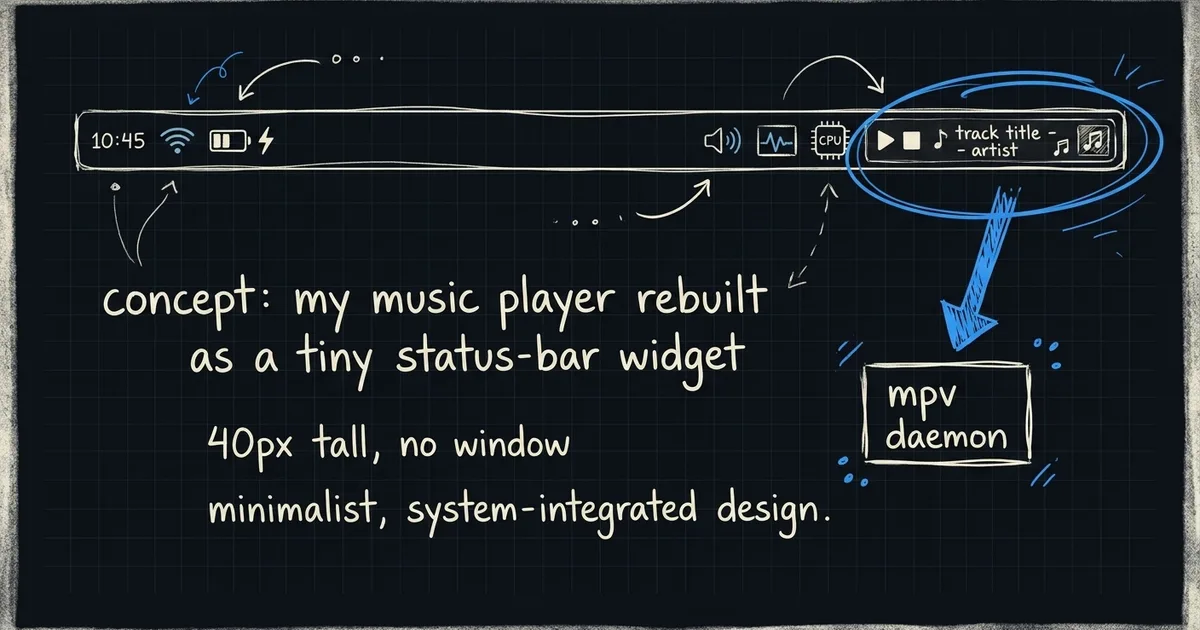
I rebuilt the whole thing this weekend. Now my music player is a 40-pixel-tall widget in my status bar. One click plays. One right-click opens a picker. No window.
The shape
Waybar (custom/lockin) ──► lockin CLI ──► mpv daemon ──► audio out
                                              │
                                              └── MPRIS ── media keys
Three things, one direction. Waybar polls lockin status every three seconds and renders whatever JSON comes back. The CLI talks to a persistent, detached mpv over a Unix socket. The mpv process loads the MPRIS script, which means my keyboard’s media keys and any standard Linux player control also drive it — for free, no extra wiring.
The trick that makes this feel native is that nothing on screen has to be open. The mpv daemon is detached at spawn time. The terminal that started it can close, the TUI can quit, I can log out of the workspace and back in — the audio keeps going. The widget reads the daemon’s state and shows what’s playing.
The Waybar config
This is the whole module:
"custom/lockin": {
  "exec": "/home/brettr/.local/bin/lockin status",
  "return-type": "json",
  "interval": 3,
  "signal": 11,
  "format": "{}",
  "tooltip": true,
  "on-click":        "/home/brettr/.local/bin/lockin toggle",
  "on-click-right":  "/home/brettr/.local/bin/lockin menu",
  "on-click-middle": "/home/brettr/.local/bin/lockin stop",
  "on-scroll-up":    "/home/brettr/.local/bin/lockin next",
  "on-scroll-down":  "/home/brettr/.local/bin/lockin prev"
}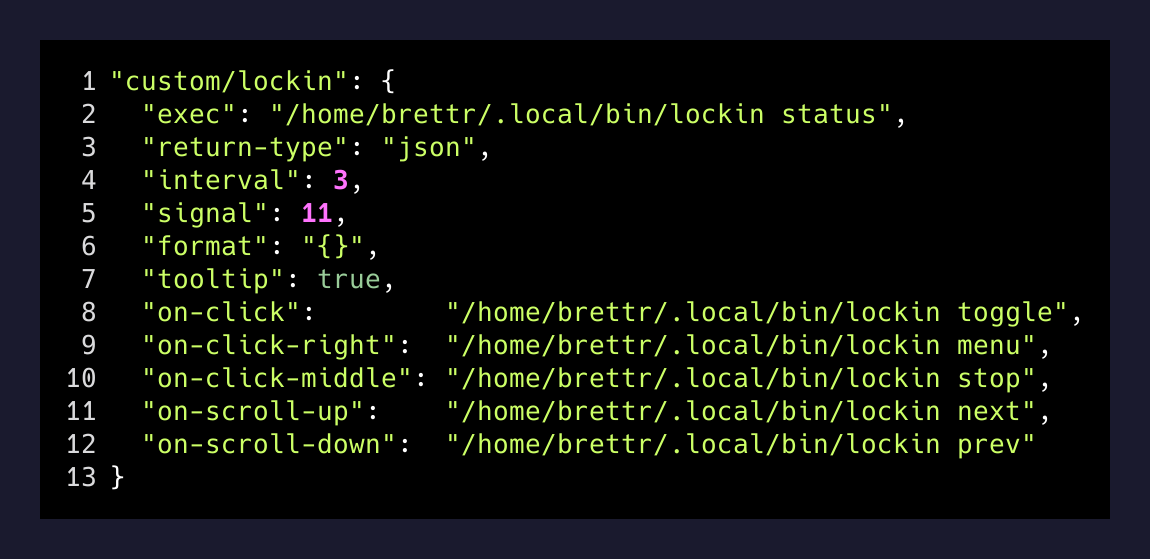
Left-click toggles. Right-click pops a Walker picker with my four categories — Big Bootie, Country, Lofi, Coding. Middle-click stops. Scroll skips. That’s a media remote, embedded in the bar I already stare at all day.
The signal: 11 line is the part I’d skip if I’d written this a year ago. Polling every 3 seconds is fine for “is something playing,” but if I left-click toggle, I don’t want to wait up to 3 seconds to see the icon flip. So the CLI fires pkill -RTMIN+11 waybar after every state change, and Waybar refreshes that one module instantly. Real-time UX, polling-cheap implementation.
The detached mpv
This is the part I had to learn. If you launch mpv from a terminal, it dies when that terminal closes. If you launch it from a script that exits, same thing. You need it to outlive everything that spawned it.
subprocess.Popen(
    ["mpv",
     "--idle=yes",
     "--no-video",
     f"--input-ipc-server={MPV_SOCK}",
     "--script=/etc/mpv/scripts/mpris.so",
     *playlist_urls],
    stdin=subprocess.DEVNULL,
    stdout=subprocess.DEVNULL,
    stderr=subprocess.DEVNULL,
    start_new_session=True,   # ← the magic
)
start_new_session=True puts mpv into its own process group, detached from the parent. The Python CLI exits, the terminal closes, mpv keeps playing. The IPC socket at /tmp/mixr_mpv.sock is how every subsequent lockin invocation finds it again.
--script=/etc/mpv/scripts/mpris.so is the second freebie. That’s the mpv-mpris package on Arch. Once loaded, mpv announces itself on the D-Bus MPRIS interface, which is the standard Linux media-player protocol. My laptop’s hardware play/pause key — the one above F8 — just works. So does playerctl, so does any media widget anywhere on the system. I didn’t write any of that. I installed a package and added a flag.
Categories from a config file
The picker isn’t hardcoded. It reads ~/mixr/config.toml:
[[categories]]
name = "Big Bootie"
icon = ""
sources = [
  "https://soundcloud.com/two-friends/sets/big-bootie-mixes",
]

[[categories]]
name = "Coding"
icon = ""
sources = [
  "https://www.youtube.com/playlist?list=PLUWqFDiirlsu9rjpZQiAOqw2h6FXjtKeX",
]
mpv accepts those SoundCloud and YouTube playlist URLs directly — it shells out to yt-dlp to expand them at play time. There is no pre-download step, no cache directory to manage, no Spotify Premium. I add a category by editing five lines of TOML.
The keybinding
The last piece: Super+Shift+M used to launch Spotify. I rebound it to lockin menu. So from anywhere — editor, browser, full-screen game — one chord pops the same Walker picker, I pick a mix, audio starts. No window opens. The picker closes. I’m back where I was.
The whole thing is about 400 lines of Python across three files: engine.py (the shared daemon glue), cli.py (every Waybar action and the keybind target), player.py (the Textual TUI for when I do want a full-screen view). The CLI and the TUI both attach to the same mpv. Closing the TUI doesn’t close the music.
What I actually noticed
Two days in, the thing I notice most is what’s not there. No tab in my browser playing audio I have to find when I want to skip a song. No terminal pane occupying a workspace just to hold the player. No mental note to “close Spotify before screen-share.” The audio became infrastructure — something the system does, not something I have an app open for.
The bigger pattern, the one I keep finding myself in on this machine: every time something has its own window and I only use 5% of that window, there’s a 40-pixel version that’s better. Waybar already has modules for CPU, battery, network, notifications, screen recording, an AI usage counter I wrote last month. Music belongs in that row, not in its own app.
What else am I opening a whole window for, when a status-bar widget would do?