
For years my “second brain” had a stupid back door: email. A screenshot on my phone, a voice memo on my MacBook, a PDF I wanted to read later — all of it ended up in a draft to myself, because that was the only path that worked from every device I owned.
I got rid of it last week. Not by switching note apps. By writing eight lines of systemd.
The pattern I wanted
I have an Obsidian vault on my Linux desktop. The vault has an Inbox/ folder. Anything that lands there gets triaged at the end of the day — turned into a note, attached to a project, deleted, whatever.
I wanted every other device I own to be able to drop files straight into that folder. No email. No Dropbox. No “share to Obsidian” plugin. Just: pick a file on the Mac, tap “send to desktop,” and have it appear in the inbox a second later.
Tailscale’s tailscale file cp already does the sending half. The receiving half is the part that surprised me.
The receiving half
When a file arrives on a Tailscale node, it sits in a per-user inbox until you call tailscale file get. That’s a manual command. The default UX assumes you’ll run it on demand.
I do not want to run anything on demand. I want the file to be in the vault the moment it’s sent.
So I made the manual step into a service:
# ~/.config/systemd/user/taildrop-receive.service
[Unit]
Description=Taildrop receiver — auto-receives files into Obsidian Inbox
After=tailscaled.service

[Service]
ExecStart=/usr/bin/tailscale file get --loop --conflict=rename "/home/brettr/Documents/Brett Omarchy/Inbox/"
Restart=always
RestartSec=5

[Install]
WantedBy=default.target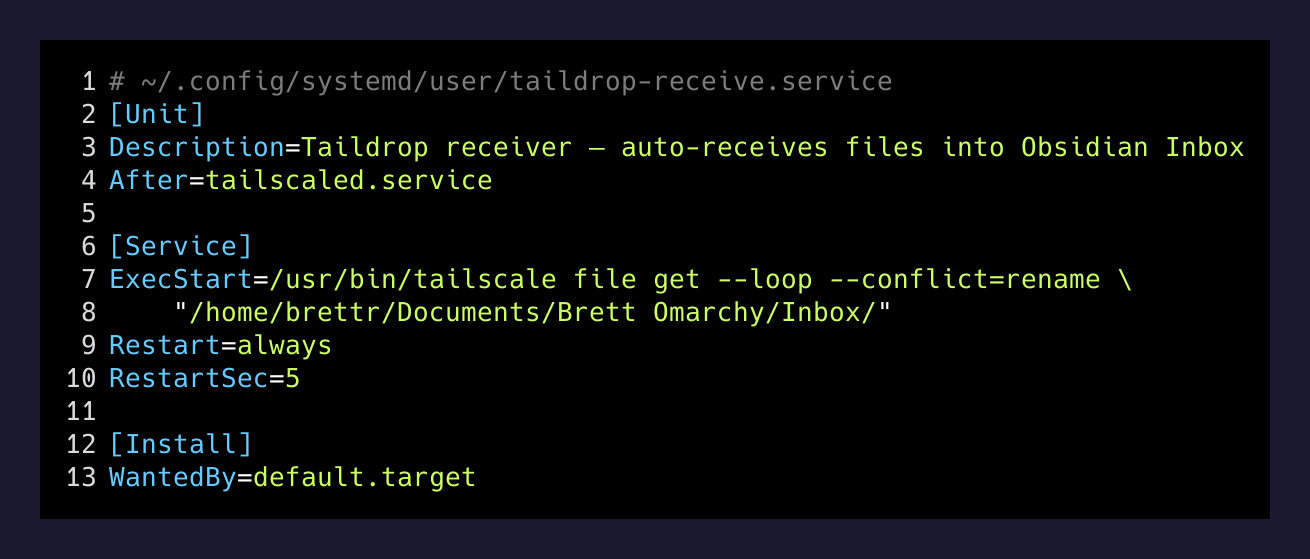
The magic is --loop. It’s a flag I’d never noticed in the Tailscale CLI docs. It tells tailscale file get to stay running and drain new arrivals as they show up, instead of doing one pass and exiting. --conflict=rename handles the case where I send the same IMG_4203.jpg twice — the second one becomes IMG_4203 (1).jpg instead of clobbering the first.
Enable it once:
systemctl --user enable --now taildrop-receive.serviceDone. Forever.
What it actually does for me
The vault is on the Linux desktop. The Mac is on the same Tailscale network. So is my phone, via the Tailscale iOS app.
From the Mac, I have an alias:
drop-to-mac() { tailscale file cp "$@" bretts-macbook-pro: ; }(There’s a matching one going the other direction, drop-to-desktop.)
From the phone, the Tailscale share sheet lists every device on my tailnet. Long-press any photo, video, voice memo, or PDF, hit “Share,” pick “brett” (the desktop’s tailnet name), done.
A second later — sometimes faster — the file shows up at:
/home/brettr/Documents/Brett Omarchy/Inbox/That folder is inside my Obsidian vault. The next time I open Obsidian, the new file is sitting in the inbox waiting to be triaged. No app to launch on the Linux side. No daemon I had to write. No webhook. No cloud middleman.
What this replaces
The thing I keep noticing is how many “capture” workflows are really just the same problem with extra steps:
- Email to self. Now I have to open Gmail, find the message, download the attachment, move it.
- iCloud Drive shared folder. Sometimes works, sometimes doesn’t, eats battery on the phone, and pretends to be more reliable than it is.
- Drag-and-drop into a sync app. Fine on a desk. Useless from the bus.
- Cloud uploaders that “integrate with Obsidian.” Now there’s a third party who can see my notes.
The Tailscale + systemd combo collapses all of that into one direction-agnostic verb: drop this file into my vault. From any device. Right now. No third party in the path — the file goes desktop-to-laptop or phone-to-desktop directly over the mesh, encrypted end-to-end by WireGuard.
The thing nobody warns you about
If you set this up, the first month you will keep instinctively reaching for email-to-self. Muscle memory. You will catch yourself hovering over Gmail with a screenshot on your phone, then realize you can just hit Share → brett, and you don’t have to compose anything.
That muscle memory dying is the actual upgrade. The service is a one-time eight-line file. The behavior change takes weeks.
I also accidentally discovered that the inbox folder is now the easiest way to hand a file to Claude Code. I drop a screenshot in from my phone, then in a terminal I say “look at the latest file in the inbox and tell me what it shows.” It’s a primitive that fits cleanly above and below my own workflow.
Why this is worth writing down
Most “personal automation” content on the internet is either trivial (alias ll='ls -la') or maximalist (a Home Assistant config that takes a weekend to set up). The interesting middle ground is small builds with high leverage — the ones where you can describe the entire system in eight lines but it changes how you behave.
This is one of those. The systemd unit fits in a tweet. It runs forever. It will keep working after I stop thinking about it, which is the only test that matters.
Email-to-self is dead on my devices. I didn’t replace it with a better app. I replaced it with the absence of an app — a folder that fills itself up.