 Building & Shipping
I bought a domain on Sunday. By Monday morning it still wouldn’t verify in Firebase.
The domain is siterevisions.com — my side project, a Markup.io / Pastel alternative that lets clients click anywhere on a live site and leave pinned comments, then exports their feedback as a fix-list a coding agent can act on. The MVP has been running on *.run.app URLs for almost a week. Cloud Run for the API + Next.js app, Firebase Hosting for the marketing site, Firestore locked down behind the API. The whole stack is on Google Cloud. The last step was the most boring one: point a real domain at it.
I’d done DNS cutovers for clients dozens of times. This should have been thirty minutes. It took most of a day.
What I did
I registered the domain on Cloudflare (cheaper renewals, free DNS, edge I trust). Then I went into Firebase Hosting and added siterevisions.com as a custom domain. Firebase handed me back the records it wanted: a TXT to prove I owned the apex, and an A to point traffic at its Hosting IPs.
I pasted them into Cloudflare. Hit save. Waited.
Firebase showed “Needs setup” → “Pending” → “Needs setup” again. The TXT was right, the A was right, dig from my laptop showed the values resolving. But every retry in the Firebase console came back failed.
The mistake
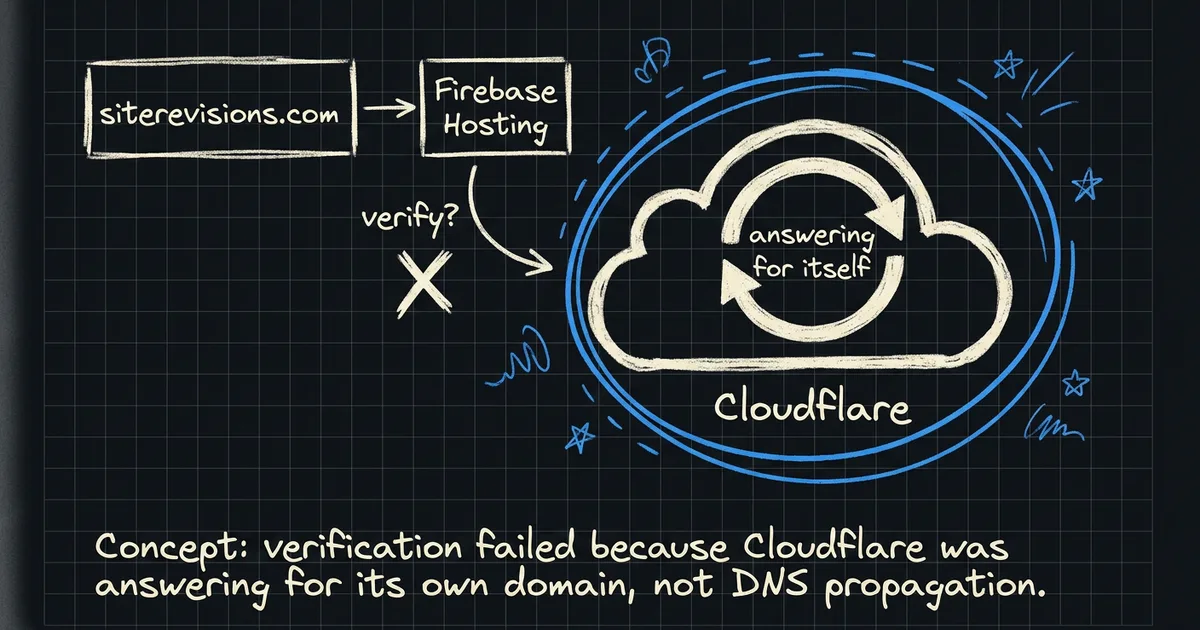
Cloudflare’s default for an A record at the apex is proxied — the little orange cloud icon. When you save the record, Cloudflare doesn’t actually give the answer you wrote. It substitutes its own IPs (the ones in the 104.21.x.x / 172.67.x.x ranges) and runs traffic through its edge.
For 99% of use cases that’s the whole point. You get DDoS protection, caching, free TLS, faster TTFB. Most people want the orange cloud.
But Firebase Hosting’s verification logic doesn’t ask “does this domain resolve to some IP?” It asks “does this domain resolve to my IP?” And it can’t, because Cloudflare is answering for itself.
The fix
One click. In Cloudflare, on the apex A record, flip the orange cloud to grey. That makes it DNS-only — Cloudflare returns the literal value you wrote, no proxy.
dig +short siterevisions.com
# before (orange cloud):
# 172.67.142.81
# 104.21.20.55
# after (grey cloud):
# 199.36.158.100
I retried verification in Firebase. Verified instantly. The TXT was already correct — it had been the whole time. It just never had a chance because the apex resolution it was paired with was wrong.
The cascade I didn’t expect
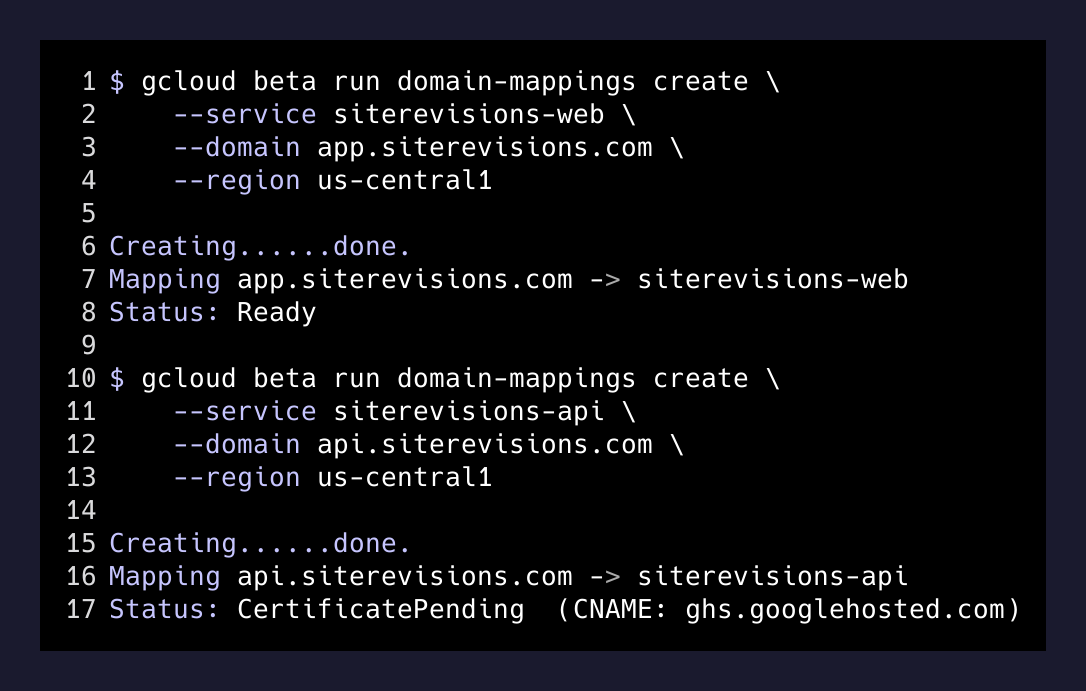
Here’s the part that made the day worth it. Adding the Firebase Hosting site for siterevisions.com also registered Search Console ownership for the domain under the same Google account. Which meant gcloud domains list-user-verified started returning it. Which meant Cloud Run domain mappings — for app.siterevisions.com and api.siterevisions.com, two subdomains I hadn’t even gotten to yet — could be created with zero extra verification.
gcloud beta run domain-mappings create \
  --service siterevisions-web \
  --domain app.siterevisions.com \
  --region us-central1

gcloud beta run domain-mappings create \
  --service siterevisions-api \
  --domain api.siterevisions.com \
  --region us-central1
Both came back with the CNAME targets I needed. I dropped them into Cloudflare — also as DNS-only — and within minutes app.siterevisions.com had a valid cert, the marketing site at the apex was serving from Firebase, and api. was provisioning behind it.
The other gotcha (free with purchase)
While I was in there, I also wired the app to accept two CORS origins at once so I could cut over without breaking the live run.app URL.
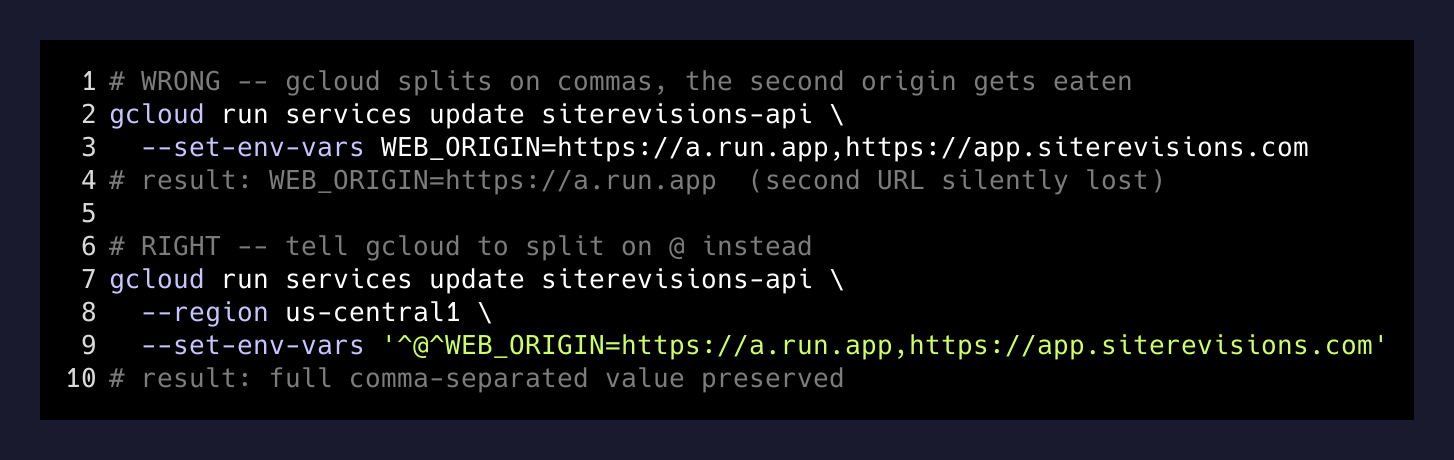
Cloud Run’s gcloud run services update --set-env-vars splits on commas. My WEB_ORIGIN was a comma-separated list. Predictable result: only the first origin made it through, the second got eaten as a phantom env var.
The fix is a custom delimiter:
gcloud run services update siterevisions-api \
  --region us-central1 \
  --set-env-vars '^@^WEB_ORIGIN=https://siterevisions-web-...run.app,https://app.siterevisions.com'
The ^@^ prefix tells gcloud to split on @ instead of ,. It’s documented but I always forget it exists until I’m staring at half a CORS header.
What I’m taking with me
The thing that almost cost me a day is the thing I think makes the whole experience worth writing up: every layer in a multi-cloud stack has to actually answer for itself during verification. Cloudflare proxying the apex is a feature for traffic. It’s a bug for any verifier that compares your answer to its expected value.
Three rules I’m holding onto:
- When something verifies your domain, turn off every middleman first. Proxy, CDN, redirect — any of them can transform the answer. Add them back once the cert is provisioned.
- Verification cascades. Verifying a domain in one Google product often verifies it in the others sharing your account. That can save you an hour. It can also surprise you the other direction if you’re hopping accounts.
- Read your own DNS like a stranger would.
dig +shortfrom a machine that isn’t yours. Or1.1.1.1directly. Your laptop’s resolver might be cached, might be poisoned, might be lying to you in some other interesting way.
The site is live at siterevisions.com. The app is at app.. The API is at api.. The whole thing was thirty minutes of real work and four hours of staring at a green TXT record wondering why it wasn’t enough.
Sometimes the answer is upstream of the thing you’re looking at.