 AI Agents & Automation
A couple weeks ago I shipped the MVP of ghostchat — an AI fake-audience overlay that watches my screen, hears my mic, and renders a Twitch-style chat of personas reacting to whatever I’m building on stream. It worked. I demoed it. Then I tried to actually use it and the thing felt broken.
The chat would post a few lines, then go quiet. Or repeat itself. Or — and this is the one that almost made me rewrite half the codebase — it would just stop mid-session. I’d glance at the overlay window and the last message was from two minutes ago.
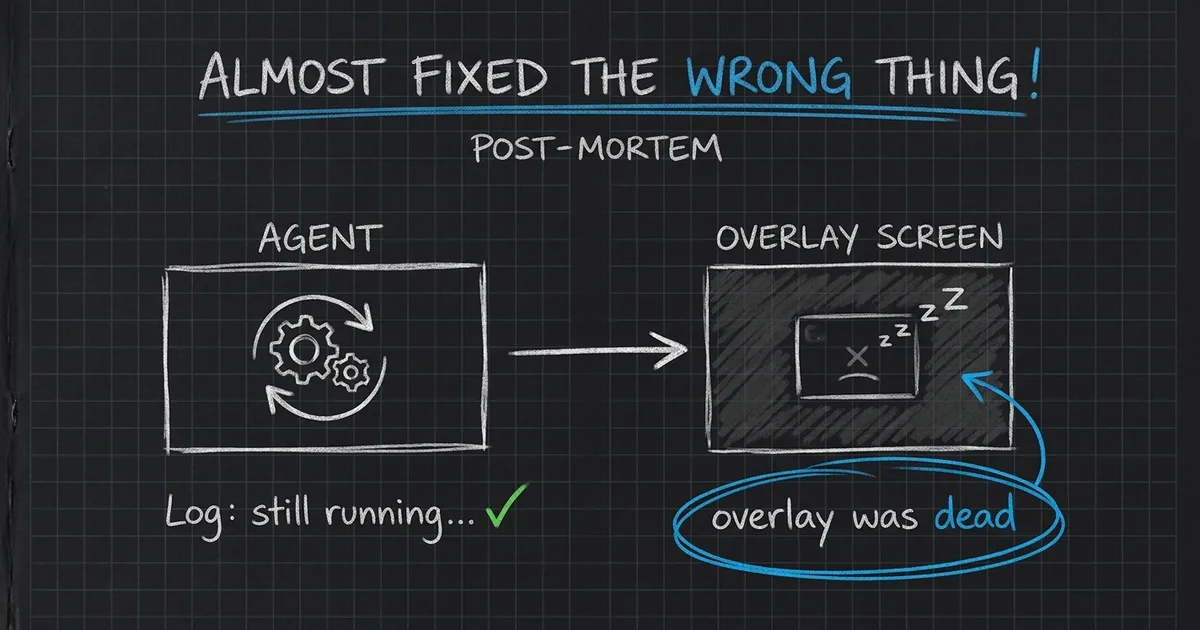
So I went in this weekend to fix “the agent keeps stopping.” Turned out the agent had never stopped a single time. The bug was somewhere else entirely.
The diagnosis I was about to commit to
My first instinct was the one every autonomous-agent builder reaches for: persistence. The loop must be exiting. Maybe Gemini is throwing a rate-limit and I’m not catching it. Maybe the WebSocket is dropping. Maybe I need a watchdog process, a systemd unit, a while true; do wrapper.
This is a very seductive bug to have, because the fix is fun. You get to write supervisor code. You get to add retries with exponential backoff. You get to feel like a serious infrastructure person.
I almost did all of that. Then I opened the session logs.
What the logs actually said
ghostchat writes a structured session log to ~/Documents/Brett Omarchy/Saved/ghostchat/ every run. Each persona message, narrator beat, screen-capture event, and brain tick gets a timestamp. I grepped for the gaps.
The maximum gap between brain ticks across the whole “broken” session was 17 seconds. The idle tick is configured at 7s. The engine had been running the entire time, doing exactly what it was supposed to do.
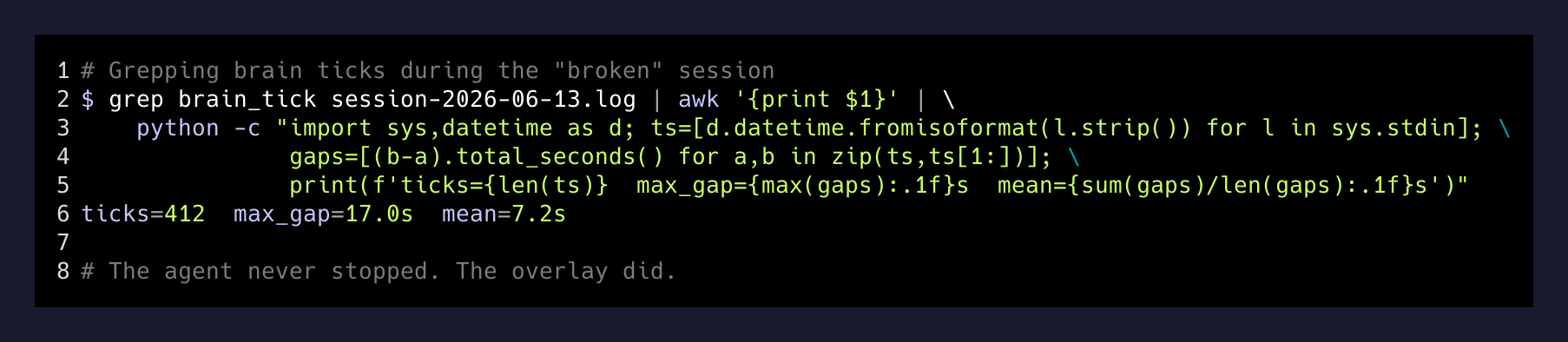
So why did the overlay look frozen? Because it was frozen. Just not in the way I thought.
Three bugs wearing one trench coat
Once I stopped looking at the brain and started looking at everything around it, the real issues showed up fast.
Bug 1: Chromium was crashing on my GPU. I’d been rendering the overlay as a Chromium kiosk window pointed at http://localhost:7177/overlay. On my GTX 970 with the NVIDIA Wayland driver, Chromium throws SIGILL inside eglcore — both in GPU mode and software mode. There’s a tempting middle ground where you pass both --disable-gpu and --disable-software-rasterizer together. Don’t. That’s also SIGILL. There is no flag combination that keeps Chromium alive here.
The brain kept producing messages. The overlay was a corpse. Same effect from the outside: frozen chat.
Bug 2: A stale bookmark on the wrong port. When I’d first wired this up I was serving the overlay on :7077. I moved it to :7177 to avoid a collision and forgot the Chromium bookmark was hardcoded. Half my “it’s broken” reports were actually “Chromium loaded a blank tab at the old port.” Embarrassing, but worth saying out loud, because the symptom is identical to a real outage.
Bug 3: The dedup window was too small to catch paraphrase. The personas have an anti-repeat rule, but it only looked at the last 12 messages. With 11 personas chatting at ~7s intervals, the rule could only see roughly the last 80 seconds. A persona would say something at second 90 that paraphrased something from second 10, and the filter wouldn’t notice.
That last one was the actual quality bug. The other two were just making me think the whole system was dead.
The fixes, in order of unsexiness
- Step 1Kill Chromium. Use WebKit.Wrote overlay_view.py — a 60-line GTK4 + WebKitGTK window that loads the same URL. No SIGILL. No GPU drama. Runs on the same 970 that was crashing Chromium 30s into every session.
- Step 2One command starts both.start.sh launches the engine, waits for :7177 to bind, then launches the WebKit overlay. Ctrl+C kills both. No more lingering background charges from a half-dead session.
- Step 3Expand the dedup context window.Bumped the anti-repeat memory from 12 → 30 messages, and added a programmatic overlap-coefficient pass that drops paraphrased repeats before they post — not after.
- Step 4Idle suppression.If the screen hash and transcript haven't changed in N ticks, the personas shut up. No more reacting to a static screen with three slightly-different versions of the same hot take.
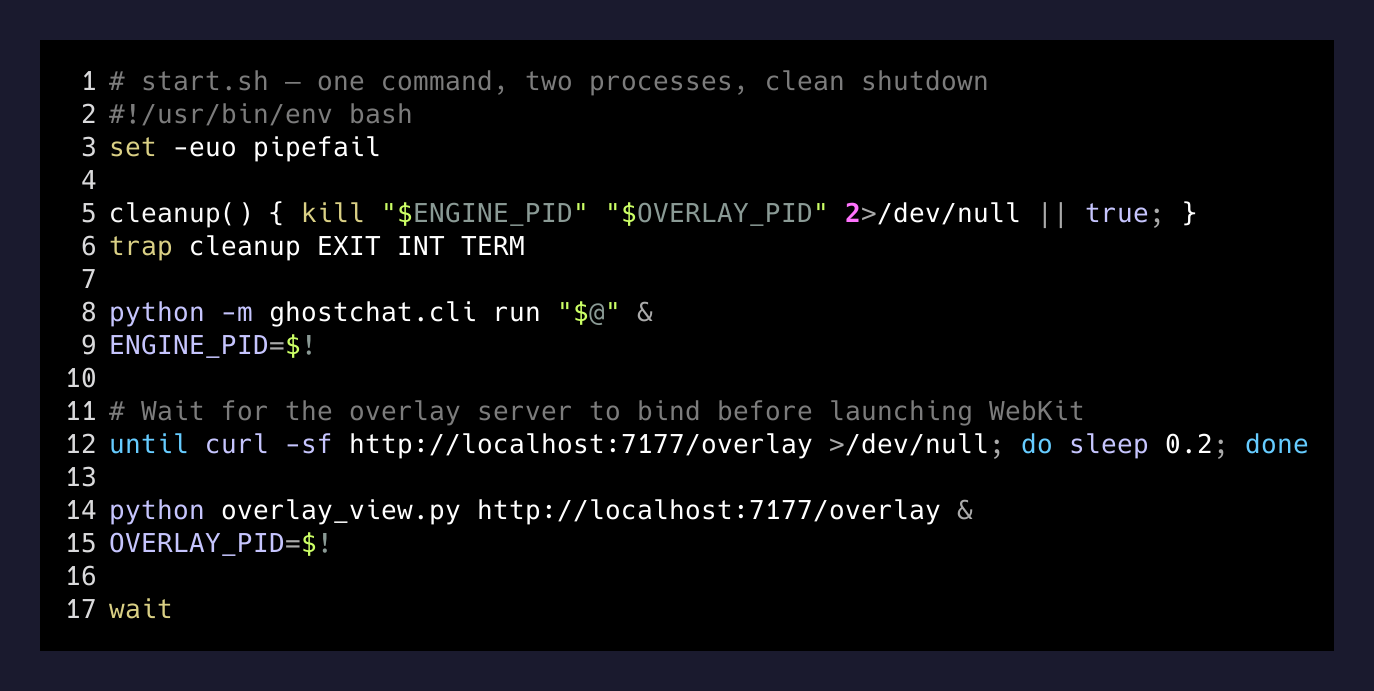
The change that fixed the symptom I was complaining about — “it stops” — was the WebKit swap. The change that made the product actually feel good was idle suppression. Those are not the same fix and I would have built neither if I’d gone down the watchdog rabbit hole.
The lesson worth keeping
When an autonomous system looks dead, check whether the thing you’re watching is the thing that’s broken — or just the thing that’s visible.
— Lesson I keep re-learning
Agent loops have a lot of surface area where it can look like the brain stopped. The renderer. The display layer. The network bridge between them. The thing you’re tailing in a terminal. Any of those can stop and the agent itself keeps right on going, invisibly, billing you for tokens.
My instinct as a builder is to fix the brain. It’s the interesting part. But the brain almost never fails first — it’s wrapped in too much retry logic from the model provider itself. What fails is the boring infrastructure around it: a window manager, a port number, a process supervisor.
The discipline I’m trying to build is: before you add resilience to the agent, prove the agent is what failed. Open the log. Check the gaps. If the brain is ticking every 7 seconds for the entire “outage,” your problem is somewhere else, and the fix is probably one config line, not a new subsystem.
ghostchat is at v0.3 now. It runs for the full session length I set, the chat reads coherently, and total spend at current settings is about $0.14/hour. None of that came from the dramatic fix I was about to commit to. It came from looking at the log before I touched the code.
That’s the part I want to remember.