
Opened Claude Code on my Linux desktop. The footer said 0/200k for Opus 5.5.
Hold on. Opus 5.5 has a 1M window on my plan. Why’s the statusline telling me I’m capped at 200K? Am I getting silently downgraded? Is the account on the wrong model alias? Did the plan tier change under me?
Thirty minutes of digging later, the answer was none of those. The statusline was just making it up.
What the model actually reports
Claude Code can tell you what the real window is. If you poke at the current model directly — or just send a request and inspect the metadata — Opus 5.5 reports:
{
  "id": "claude-opus-5-5",
  "contextWindow": 1000000
}
A million tokens. Pipe that into any status bar and you’d see 0/1M. No ambiguity. The ceiling I was staring at didn’t exist.
What my statusline was doing instead
Every statusline script in ~/.claude/statusline.sh gets a JSON blob on stdin on every refresh. Claude Code hands you the current model, the token count, the working directory, the session cost. The script’s job is to turn that into one line of terminal output.
Mine was doing this:
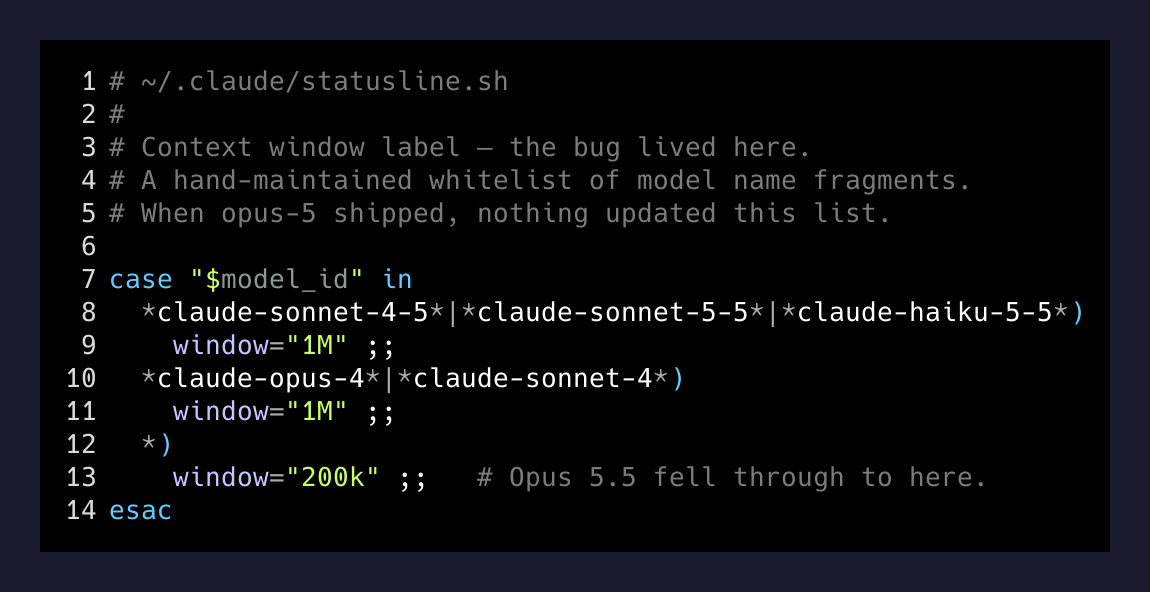
String match against a hardcoded whitelist of model name fragments. opus-5 wasn’t in the list. Opus 5.5 fell through to the default. Default was 200k.
The lie wasn’t malice. It was staleness. I wrote that script some number of model releases ago, pinned the known 1M models by name, and never came back when the next 1M model shipped. Nothing updates a hand-written case statement. The script kept running, kept lying confidently, for probably a month before I noticed.
Two fixes
The first fix was mechanical: trust the primary source. Claude Code already tells the statusline the real context window on the current build. Read that field. Only guess from the model name if the field is missing — and treat the fallback as the embarrassing path, not the default.
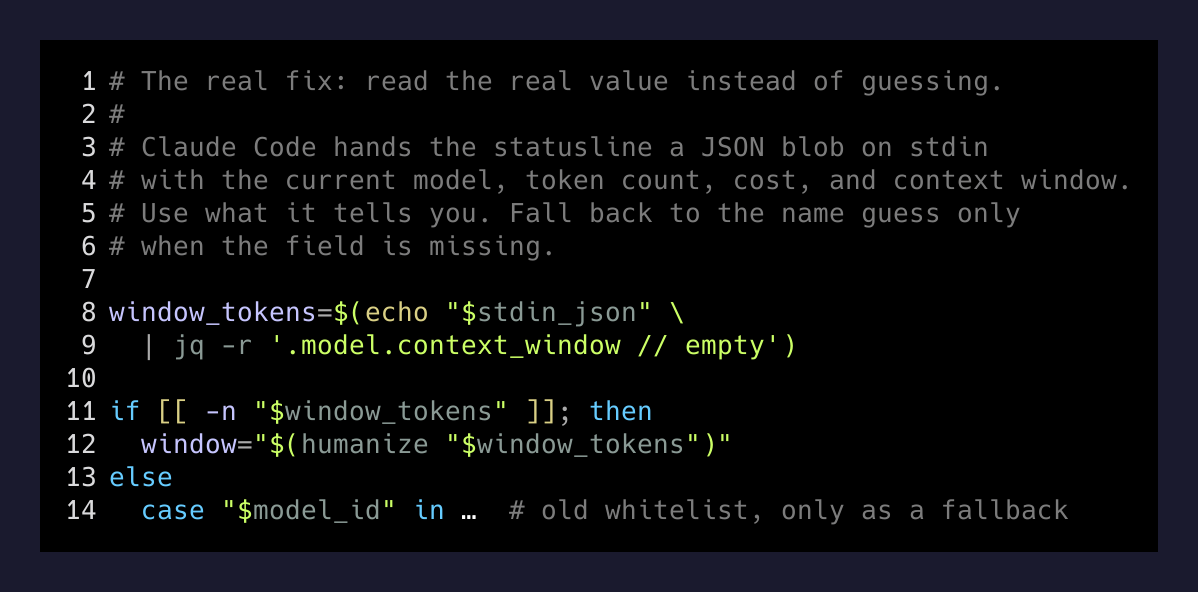
The second fix was the real one: delete the statusline.
Claude Code’s built-in footer already shows the token count, the model, and the context window, correctly, with zero shell scripts in the loop. My statusline wasn’t adding anything the native widget wasn’t already giving me. It was just a layer of code I had to re-verify every time a new model landed, and I never did.
I pulled the statusLine entry out of ~/.claude/settings.json, deleted statusline.sh and its two backups, and let the built-in widget do the job it was built for.
 {
-  "statusLine": {
-    "type": "command",
-    "command": "~/.claude/statusline.sh",
-    "padding": 0
-  },
   "env": { ... }
 }
Three lines gone. One source of truth back.
The actual lesson
When a dashboard disagrees with the system it’s dashboarding, suspect the dashboard first.
— an audit of my own config
I spent the first ten minutes assuming my account was wrong — reading plan docs, checking the model config, searching for whether Opus 5.5 at 1M was API-only or Claude Max-only. Zero of that mattered. The actual model was fine. The thing in front of my eyes was wrong.
Statuslines, dashboards, log aggregators, uptime pages — anything summarizing a system is a surface. The surface and the system can disagree. When they do, nine times out of ten the system is right and the summary is a stale script.
The harder lesson: a shim you wrote yourself is still a shim. Hand-rolled, lovingly-styled, personal-touch shims rot just like vendor ones. The thing underneath often gets better at reporting itself over time. When it does, your shim becomes dead weight that still runs on every keystroke.
I keep catching myself with these. One-line scripts that beat the built-in in 2024 and look like they’re still working in 2026, while the built-in has quietly become correct. The maintenance tax on a tiny script you wrote and forgot isn’t zero — it’s the hour you spend chasing a 200K ceiling that never existed, plus the lingering suspicion that your plan tier is wrong when it isn’t.
Trust the model. Delete the wrapper.