
Charter operators do not want their product cards to be still photos. A boat at anchor is a boat at anchor. A boat with water lapping the hull and the flag snapping on the stern is a trip. We kept getting the same request, in different words, from different operators: can the hero shot move?
The honest answer is: of course it can. The reason the checkout had been photos-only for a year wasn’t product opinion. It was that the second any surface treats a product thumbnail as “any media item,” you’ve accidentally signed up for a video player. Controls. Mute buttons. Full-screen. Analytics. Playlists. A policy for what happens when there are three videos and five photos and one of them is a GIF.
I did not want a video player. I wanted an animated photo.
So the thing that shipped a couple weeks back is small on purpose. One component, roughly 70 lines, used everywhere a <img> used to go. Operators upload a 3–8 second MP4, mark it as the first media item, and the checkout cards, the mosaic on the listing, and the gallery on the product page all start showing a silent, looping clip instead of a still. No controls. No UI. The video thinks it’s a photo. The page treats it like one.
The interesting part is everything that goes wrong when you try to do that naively.
The seven things an MP4 needs to behave like a photo
1. It cannot be blank, ever
An <img> paints the moment the browser has pixels. A <video> without preload paints when it decides to start playing — which on a slow connection means half a second of empty box. That’s the single biggest tell that something used to be a photo and now isn’t.
The fix is a URL fragment I had never used before this project:
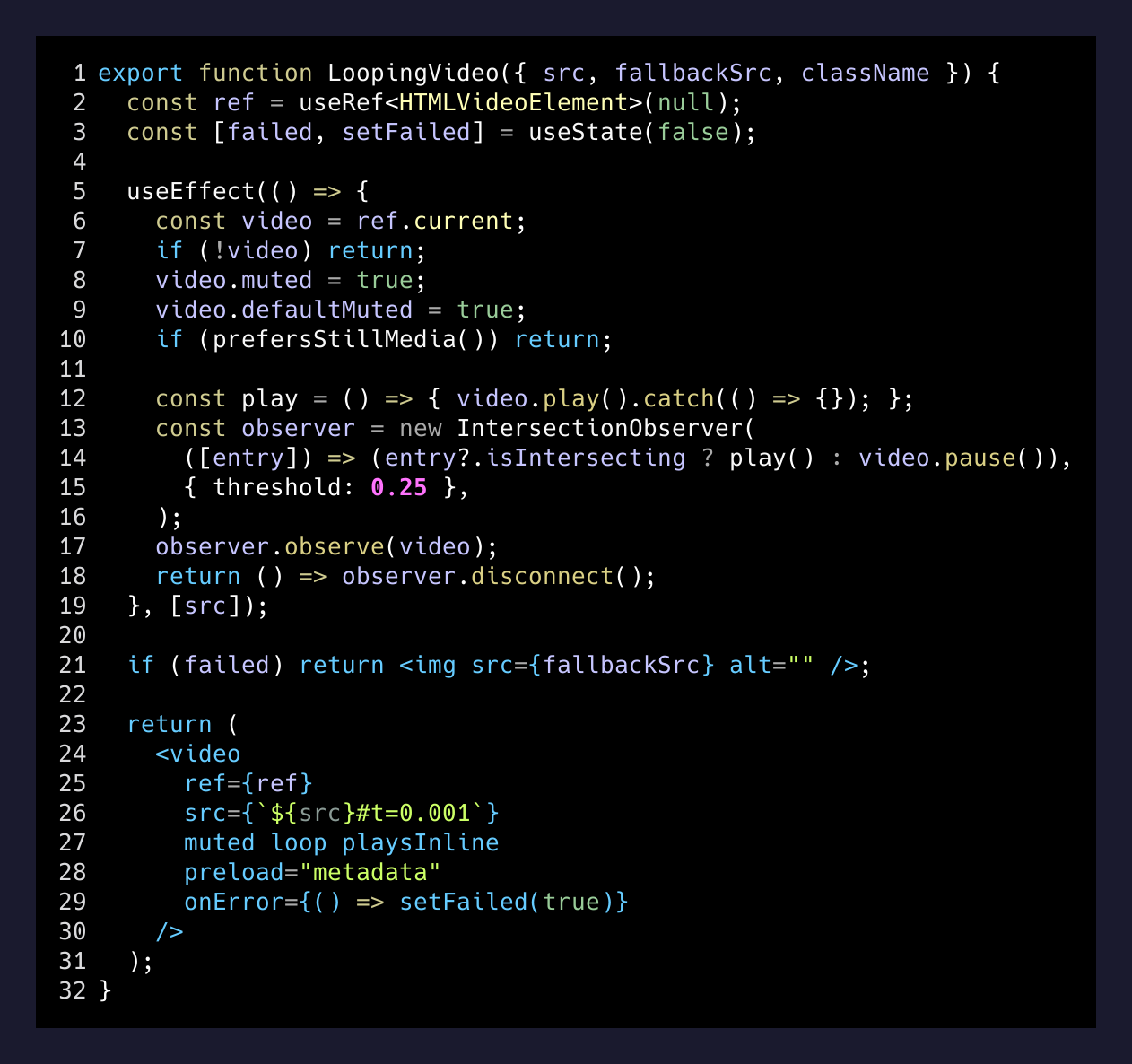
<video src="charter.mp4#t=0.001" ... />The #t=0.001 is a media fragment. It tells the browser start at 1 millisecond in, and most browsers interpret that by painting the frame at that timestamp before playback begins. The box is never blank. Our clips start on the operator’s original hero photo anyway, so the first frame is the still.
Media fragments are old spec, barely used, and solve this exact problem better than anything a React hook can.
2. iOS Safari will not autoplay unless you convince it twice
iOS refuses to autoplay a video that isn’t muted. Fine. The attribute goes on the element:
<video muted ... />Except that doesn’t actually work in React. There’s an open issue — facebook/react#10389 — where React doesn’t reliably emit the muted attribute on the initial render. The attribute shows up in the DOM but not in time for Safari’s autoplay check, and the video silently refuses to play.
The fix is to set it both ways:
<video ref={ref} muted ... />

// in a useEffect:
video.muted = true;
video.defaultMuted = true;
Attribute for the markup, imperative assignment for the behavior. iOS now autoplays. This is the kind of thing that works on your laptop and breaks on exactly the device your operators use to test their own checkout page.
3. It should not play when nobody is looking
A page with a listing of eight products should not have eight MP4s all decoding at once off-screen. Battery, bandwidth, and the GPU all agree.
const observer = new IntersectionObserver(
  ([entry]) => (entry?.isIntersecting ? play() : video.pause()),
  { threshold: 0.25 },
);
observer.observe(video);
Play when at least 25% of the video is on screen. Pause otherwise. One IntersectionObserver per clip, cleaned up on unmount. The whole viewport-aware playback thing is maybe eight lines of code and it’s the difference between a page that scrolls smoothly and a page where your laptop fan starts spinning.
4. Reduced motion and Save-Data are not optional
Some people have prefers-reduced-motion on because moving things make them nauseated. Some people have Save-Data on because they’re on a flaky LTE connection trying to book a trip from the parking lot. In both cases, autoplaying a 3MB MP4 is actively rude.
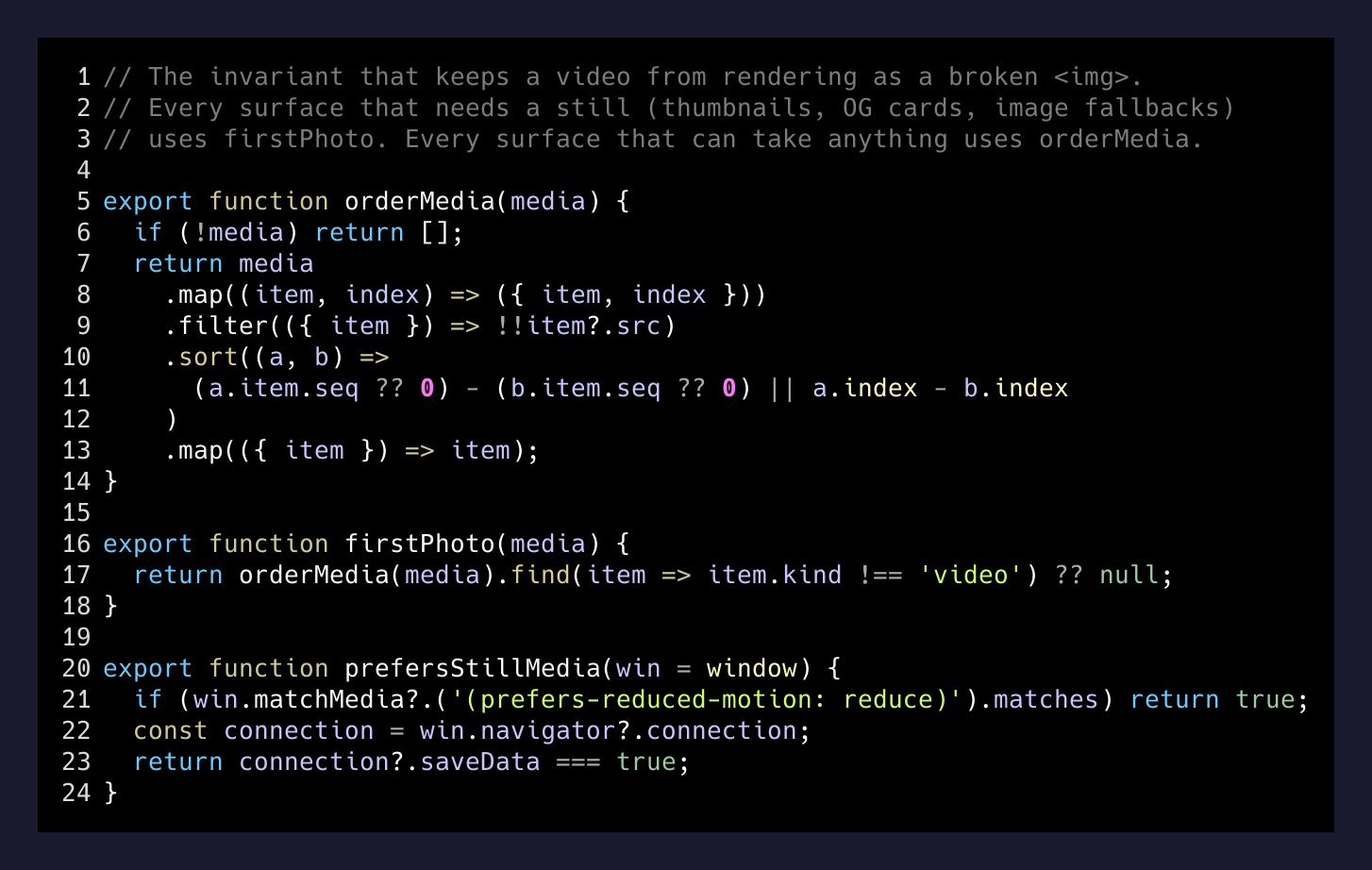
export function prefersStillMedia(win = window) {
  if (win.matchMedia?.('(prefers-reduced-motion: reduce)').matches) return true;
  const connection = win.navigator?.connection;
  return connection?.saveData === true;
}
If either flag is on, the video renders as its paused first frame and never plays. Combined with #t=0.001, this means low-motion and low-data viewers see exactly the still photo they would have seen before any of this shipped. Nobody has to opt out of anything.
5. If the file breaks, it has to look like a photo breaking
Networks fail. CDNs fail. An MP4 that 404s should degrade to the product’s first still photo, not to the browser’s broken-video chrome. One state variable, one onError:
const [failed, setFailed] = useState(false);

if (failed) {
  return fallbackSrc
    ? <img src={fallbackSrc} alt="" className="..." />
    : <div className="bg-gray-200" />;
}

return <video onError={() => setFailed(true)} ... />;
The fallback is piped in from the caller, which already knows the product’s first still (every surface here has that). A broken MP4 looks like a boring photo. A still-missing product looks like a gray box. Neither looks like <video> chrome.
6. The first photo must always be a photo
This is the one that bit me in prod. Operators are allowed to put a video at position 1 in their media order — that’s the whole point. But a bunch of places on the site expect the “first media item” to be an image: the <img> thumbnail in the product header, the OG card we hand to Slack and iMessage, the gallery thumbnail strip.
If the first item is an .mp4, every one of those renders as a broken <img> with an .mp4 src.
The fix is a one-line helper used everywhere a still is required:
export function firstPhoto(media) {
  return orderMedia(media).find(item => item.kind !== 'video') ?? null;
}
firstPhoto() skips videos. orderMedia() sorts by the operator’s seq field, because the API does not guarantee nested order. Every surface that needs a still — thumbnails, OG tags, image fallbacks — uses firstPhoto. Every surface that can take anything uses orderMedia. The invariant is enforced at the helper, not at every call site.
7. The upload has to be as cheap as the component is
The visual part is 70 lines. The operator-facing part is a tiny Node script — attach-product-videos.mts — that logs in, uploads MP4s, and moves each one to the front of its product’s media list. Idempotent on filename. --dry-run to preview. Refuses to run against production without --yes-production. Operators do not touch it; I do, with a folder of their clips.
The whole operator-facing shape of the feature is: send me a folder of 3-second clips, named after the products, and your cards will move by this evening.
Why this shape and not another
Every time I’ve tried to build “a video player” in a product that didn’t demand one, I’ve ended up with a worse product. Controls that nobody uses but have to be designed. Analytics plumbing. A loading state. A fullscreen gesture that intercepts a scroll on mobile. A policy for autoplay-with-sound that will absolutely get me sued in two years.
The alternative is: decide this is a photo that moves, enforce it at the component boundary, pay for the seven edge cases above, and never think about video again.
Not every piece of moving media needs a video player. Most of them are animated photos.
— The lesson
A customer looking at a charter card does not know and does not need to know whether they are looking at a photo or an MP4. They scroll past, something catches their eye, they click. The medium is irrelevant. The behavior — paint, loop, pause when I leave, stay still when I ask you to — is the whole product.
- Sep 28LoopingVideo component shipped70 lines, first-frame paint via #t=0.001, IntersectionObserver, reduced-motion opt-out, image fallback on error.
- Sep 28Cards, mosaic, and gallery convertedEvery surface that was img-only now accepts video and renders it as a still-equivalent.
- Sep 29firstPhoto invariant enforcedThumbnails, OG cards, and <img> fallbacks pin to the first non-video item regardless of operator ordering.
- Sep 30First operator videos live in prodA folder of MP4s turns into animated checkout cards by evening. No operator config needed.
The checkout gained a feature. The codebase did not gain a video player. That’s the trade I’ll take every time.