
Yesterday I was deep in a video pipeline I have been building — Supabase running locally, two AI providers wired up, a Next.js dev server, a long-running ffmpeg job processing a reel. Real state in a real shell. I was an hour in when I had to leave for a coworking space.
Old me would have committed everything in a half-broken state, pushed, closed the lid, opened the MacBook somewhere else, pulled, and re-bootstrapped the entire stack. Lose ten minutes minimum. Lose the dev server’s hot module state for sure. Probably re-seed the database.
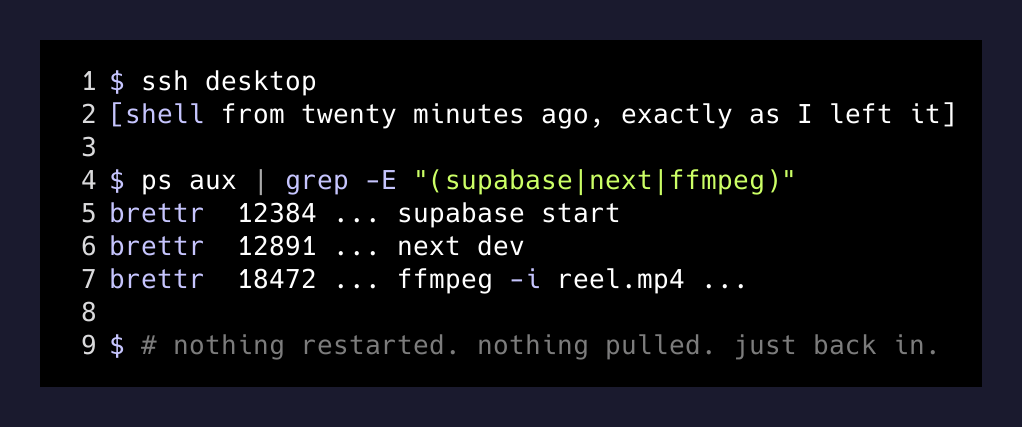
New me closed the laptop, walked out the door, opened the MacBook at a desk twenty minutes away, hit one shortcut, and was back inside the same shell on the same desktop. The ffmpeg job had finished while I was driving. Supabase was still up. The Next.js dev server still had the same process ID. The browser tab on my Mac was hitting localhost:3000 — except localhost was the Linux box at home.
The setup is dumb-simple and I want to write it down because most of the “remote dev environment” content out there is selling cloud VMs that cost real money.
The stack
- A Linux desktop at home, always on, doing the heavy lifting (a 24-core box that runs every model and every dev server I touch).
- A MacBook Pro that does almost no compute. It is a screen and a keyboard with good battery.
- Tailscale running on both. Free tier. No router config, no port forwarding, no public IPs.
sshfrom the Mac into the desktop’s Tailscale hostname.- Browser on the Mac pointed at
http://desktop-hostname:3000instead oflocalhost:3000.
That is the whole thing. Tailscale gives every device of mine a stable hostname on a private mesh network. From any laptop, on any wifi, I can ssh brettr@desktop and it Just Works. No DNS, no dynamic IP nonsense, no opening ports on my router, no exposing anything to the public internet.
The dev server I am running listens on 0.0.0.0:3000. The Mac browser hits the Tailscale hostname. Tailscale handles the rest.
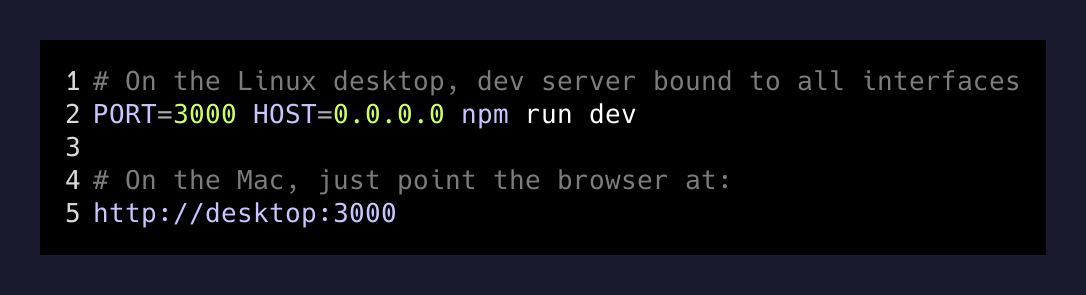
That’s it. That is the entire “remote dev environment.”
What I do not have to deal with
This list is the actual product. It is what makes Tailscale feel like cheating compared to every other approach I have tried.
- No SSH tunnel. I do not run
ssh -L 3000:localhost:3000 desktop. The Tailscale hostname is reachable directly. - No port forwarding on my router. Nothing on the desktop is exposed to the public internet. The mesh network is private to my Tailscale account.
- No re-bootstrapping. The dev server, the database, the long-running jobs — they were already running before I closed my laptop. They keep running.
- No syncing files between machines. I almost never code on the Mac directly. I open a terminal,
sshto the desktop, and run an editor inside that session. The “Mac” is dumb. - No DNS gymnastics. Tailscale’s MagicDNS gives every device a hostname like
desktopormbpon the tailnet. Done.
Coffee shop wifi, in-laws’ guest network, hotel ethernet — all the same. The mesh handles it. I have used this setup from a tubing trip in Texas, from my parents’ house, and from a coworking space twenty minutes from home in the same week.
Why this is the actual unlock
I am building real systems with real state. Local Supabase has migrations applied. The dev server has hot-reload state. ffmpeg has a job running. Claude Code has a long conversation context I do not want to lose.
The naive “just commit and pull” workflow assumes your work fits in git. Most of mine does not, in the moment. State lives in running processes. State lives in a Postgres database that I have seeded with twenty minutes of test data. State lives in a browser tab that has a video preview rendered in memory.
If your dev environment requires a clean restart every time you change locations, you are paying a re-bootstrapping tax that compounds across the day. Five minutes here, ten there. Worse, you start avoiding leaving the desk because the cost of moving is too high.
Tailscale removes the tax.
The price
Free. I am on Tailscale’s personal tier, which gives you up to 100 devices and unlimited bandwidth. I have been using it for over a year and have never paid them a dollar. I should, honestly. It is one of the highest-leverage tools on either of my machines.
The desktop sits in my office burning maybe 80 watts at idle, way less than a single hour of a comparable cloud VM would cost. And it is mine. The model weights I have downloaded, the test fixtures, the local databases, the half-finished prototypes — all on hardware I own.
The pattern, generalized
The thing this setup actually proves is that you do not need a cloud VM to have a powerful “remote” dev environment. You need:
- One always-on box with the compute you actually want.
- A mesh network that ignores NATs and firewalls.
- Discipline to do everything inside an SSH session, not “synced” between two filesystems.
That last one is where most people break it. They try to keep two checkouts in sync via git, or rsync, or some VS Code Remote dance. Then they edit files on both sides, hit conflicts, give up.
The mental shift: the laptop is a terminal. The desktop is the computer. Always.
Once you accept that, the laptop’s specs stop mattering. I could do this from a Chromebook. I could do it from an iPad with Blink Shell. The compute is back at home, plugged in, fans spinning, finishing the job I started before I left.
I was running the AI on the desktop. The MacBook was just running me.